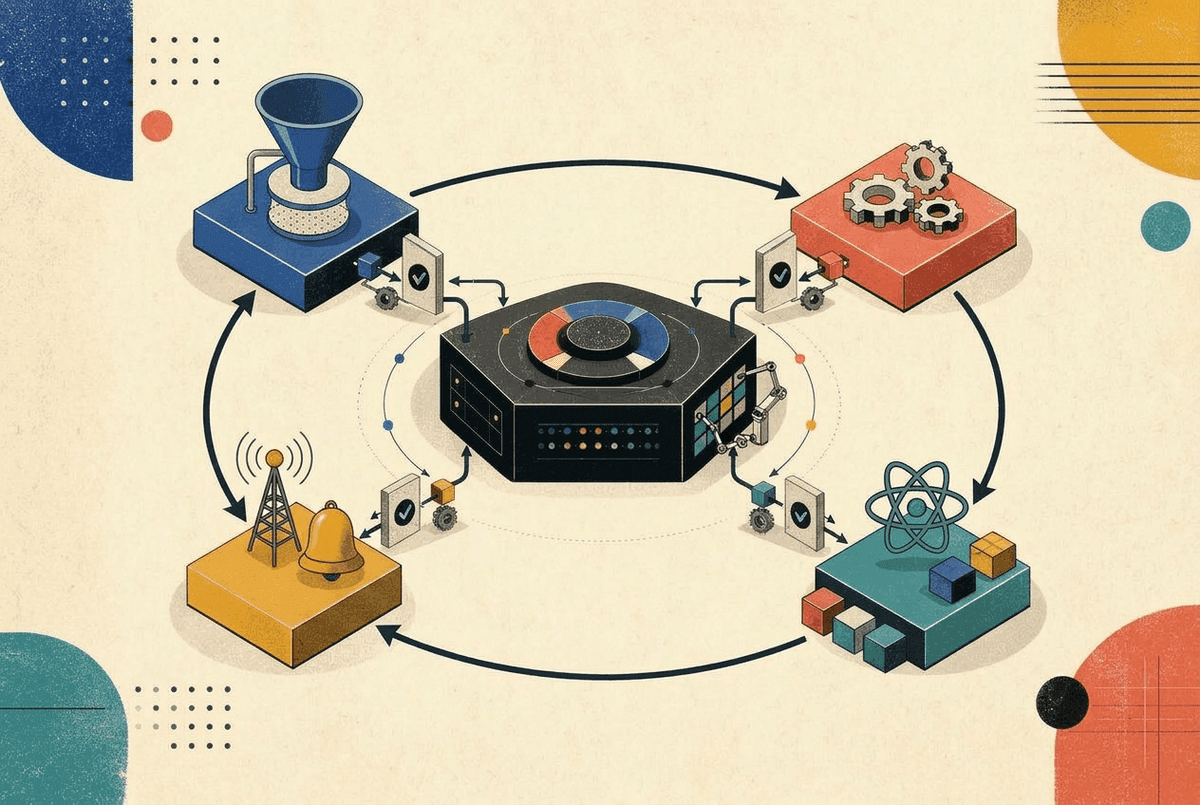
Redux has a reputation for being complicated. People talk about actions, dispatchers, reducers, middleware, and slices, and it can feel like a mountain of boilerplate.
But here's the secret: the core idea behind Redux fits in fewer than 40 lines of plain JavaScript.
In this tutorial, we'll build our own Redux-style store from scratch, one tiny step at a time. No complex jargon, no massive type definitions upfront—just clean, readable code.
Along the way, we'll explore:
- How a store actually holds and changes data.
- The pros and cons of the classic Redux pattern.
- Alternative ideas for building stores (like Zustand, MobX/Valtio, and Jotai).
- How to connect our custom store to React components cleanly.
Step 1: The Simplest Store (Just a Closure)
At its most basic level, what is a store? It's a box that holds some state in memory and lets you read it.
We can create one with a simple JavaScript function and a closure:
function createStore(initialState) {
  let state = initialState;

  function getState() {
    return state;
  }

  return {
    getState,
  };
}
Let's try using it:
const store = createStore({ count: 0 });
console.log(store.getState()); // { count: 0 }
That was easy! We've got a private state variable that can't be messed with from the outside, and a getState() function to peek at it.
Now comes the real question: How do we change the state?
Step 2: Changing State (Why Do We Need Reducers?)
You might be tempted to just add a setState function:
// Why don't we just do this?
function setState(newState) {
  state = newState;
}
While that works for small scripts, in large apps it quickly becomes chaotic. Any component anywhere can overwrite the entire state with whatever it wants. When a bug happens, you have no idea who changed the state, when they changed it, or why.
Redux solves this with two simple rules:
- Actions: You cannot change state directly. You can only dispatch an action—a plain JavaScript object that describes what happened (e.g.,
{ type: "INCREMENT" }). - Reducers: A reducer is a function that takes the current state and the action, and decides what the next state should be.
Here is what a reducer looks like:
function counterReducer(state = { count: 0 }, action) {
  switch (action.type) {
    case "INCREMENT":
      return { count: state.count + 1 };
    case "DECREMENT":
      return { count: state.count - 1 };
    case "RESET":
      return { count: 0 };
    default:
      return state;
  }
}
Notice that the reducer is a pure function:
- It doesn't modify the existing state directly (
state.count++is forbidden). - It returns a brand-new object.
- Given the same input, it always returns the exact same output.
Now let's add dispatch to our createStore. We'll also fire a special @@INIT action at the end—this lets the reducer set up its own default state if you don't pass an initialState:
function createStore(reducer, initialState) {
  let state = initialState;

  function getState() {
    return state;
  }

  function dispatch(action) {
    // Run the reducer to calculate the new state
    state = reducer(state, action);
  }

  // Initialize the state by dispatching a dummy action
  dispatch({ type: "@@INIT" });

  return {
    getState,
    dispatch,
  };
}
Let's test our new store:
const store = createStore(counterReducer, { count: 0 });

console.log(store.getState()); // { count: 0 }

store.dispatch({ type: "INCREMENT" });
console.log(store.getState()); // { count: 1 }

store.dispatch({ type: "DECREMENT" });
console.log(store.getState()); // { count: 0 }
Every state change now flows through a single predictable door.
Step 3: Notifying the Outside World (Pub-Sub)
Our store can hold state and update state. But right now, outside components have no idea when something changes unless they repeatedly call getState().
We need a way for components to say: "Hey, call me whenever the state changes so I can update my screen."
This is known as the Pub-Sub (Publisher-Subscriber) pattern.
We only need three things:
- A list to keep track of subscriber functions.
- A
subscribefunction to add a new listener. - A way to notify every listener inside
dispatch.
Here's the complete store:
function createStore(reducer, initialState) {
  let state = initialState;
  let listeners = [];

  function getState() {
    return state;
  }

  function subscribe(listener) {
    listeners = [...listeners, listener];

    // Return an unsubscribe function
    return function unsubscribe() {
      listeners = listeners.filter((l) => l !== listener);
    };
  }

  function dispatch(action) {
    state = reducer(state, action);

    // Snapshot the listeners before notifying
    for (const listener of listeners) {
      listener();
    }
  }

  dispatch({ type: "@@INIT" });

  return {
    getState,
    dispatch,
    subscribe,
  };
}Let's see it in action:
const store = createStore(counterReducer, { count: 0 });

// Subscribe to changes
const unsubscribe = store.subscribe(() => {
  console.log("State changed:", store.getState());
});

store.dispatch({ type: "INCREMENT" }); // Logs: State changed: { count: 1 }
store.dispatch({ type: "INCREMENT" }); // Logs: State changed: { count: 2 }

// Unsubscribe when we are done
unsubscribe();
store.dispatch({ type: "INCREMENT" }); // (Nothing logged)Pros and Cons of This Approach
Before we look at alternatives, let's look honestly at the trade-offs of this classic Redux pattern.
The Good
- Completely Predictable: Because state changes only through pure functions, you never have to guess how your app arrived in a specific state.
- Trivial to Test: Testing business logic requires zero mocks. Just pass
(state, action)into your reducer and check the output. - Time-Travel & Replay: Because every change is represented as an action object, you can record all user actions and replay them to reproduce any bug.
The Bad
- Too Much Boilerplate: You have to write action types, action creators, and a switch statement even for simple updates.
- Manual Immutability: You must constantly remember to spread objects (
...state, user: { ...state.user }). A single accidental mutation breaks re-renders. - Coarse Subscriptions: Every time anything in the store changes, every subscriber gets called. If you have 200 components subscribed, all 200 run on every click unless you filter them.
This brings us to a fun question: Could we build a store differently?
Exploring Alternative Store Ideas
Over the years, the JavaScript community explored different ways to build a store. Let's look at three popular alternatives and see how their code and philosophy compare.
Idea 1: Store Methods Instead of Reducers (The Zustand Approach)
What if we got rid of action objects and switch statements altogether?
Instead of dispatching an action and writing a separate reducer, what if the store kept its update functions directly inside the state?
function createSimpleStore(createState) {
  let state;
  const listeners = new Set();

  function getState() {
    return state;
  }

  function setState(partial) {
    // Compute next state (supports both objects and updater functions)
    const nextState = typeof partial === "function" ? partial(state) : partial;
    state = { ...state, ...nextState };
    listeners.forEach((listener) => listener());
  }

  function subscribe(listener) {
    listeners.add(listener);
    return () => listeners.delete(listener);
  }

  // Initialize the store by passing setState and getState to the user's config
  state = createState(setState, getState);

  return { getState, setState, subscribe };
}
Now look how clean defining a store becomes:
const useCounterStore = createSimpleStore((set) => ({
  count: 0,
  increment: () => set((state) => ({ count: state.count + 1 })),
  decrement: () => set((state) => ({ count: state.count - 1 })),
}));

// Using it:
console.log(useCounterStore.getState().count); // 0
useCounterStore.getState().increment();
console.log(useCounterStore.getState().count); // 1- Pros: Almost zero boilerplate. No actions, no switch statements, great TypeScript auto-complete out of the box.
- Cons: Less formal separation between data and actions. Harder to log action history unless you add middleware.
Idea 2: Proxy-Based Direct Mutations (The MobX / Valtio Approach)
What if you didn't have to call set or dispatch at all? What if you could just write:
state.count++;And your UI updated automatically?
You can do this using modern JavaScript Proxy. A proxy lets you intercept property reads and writes:
function createProxyStore(initialObject) {
  const listeners = new Set();

  const proxy = new Proxy(initialObject, {
    set(target, property, value) {
      target[property] = value;
      // Notify listeners whenever any property is modified!
      listeners.forEach((listener) => listener());
      return true;
    },
  });

  return {
    state: proxy,
    subscribe(listener) {
      listeners.add(listener);
      return () => listeners.delete(listener);
    },
  };
}
Using it feels like ordinary JavaScript:
const store = createProxyStore({ count: 0 });

store.subscribe(() => {
  console.log("Count changed to:", store.state.count);
});

store.state.count = 5; // Logs: Count changed to: 5- Pros: Feels like natural JavaScript. No manual immutable copying (
...state). - Cons: Can feel like "magic." It's easier to accidentally mutate state in places you didn't intend.
Idea 3: Atomic State (The Jotai / Recoil Approach)
What if we didn't have one giant store object at all?
In an atomic model, your state is split into tiny, independent pieces called atoms. Each atom holds its own little piece of state, and components only subscribe to the specific atoms they care about.
Here is how you can implement an atomic store in about 30 lines of JavaScript:
// 1. An atom is just a unique definition object holding a default value
function atom(initialValue) {
  return { init: initialValue };
}

// 2. The store holds a map of atom references to their current values and listeners
function createAtomicStore() {
  const atomValues = new Map();
  const atomListeners = new Map();

  function get(anAtom) {
    if (!atomValues.has(anAtom)) {
      atomValues.set(anAtom, anAtom.init);
    }
    return atomValues.get(anAtom);
  }

  function set(anAtom, update) {
    const prev = get(anAtom);
    const next = typeof update === "function" ? update(prev) : update;
    atomValues.set(anAtom, next);

    // Notify ONLY the listeners for this specific atom!
    const listeners = atomListeners.get(anAtom);
    if (listeners) {
      listeners.forEach((listener) => listener());
    }
  }

  function subscribe(anAtom, listener) {
    if (!atomListeners.has(anAtom)) {
      atomListeners.set(anAtom, new Set());
    }
    atomListeners.get(anAtom).add(listener);

    return function unsubscribe() {
      atomListeners.get(anAtom).delete(listener);
    };
  }

  return { get, set, subscribe };
}
Now let's see how this solves the notification problem:
const countAtom = atom(0);
const nameAtom = atom("Alice");

const store = createAtomicStore();

// Component A subscribes ONLY to countAtom
store.subscribe(countAtom, () => {
  console.log("Count changed to:", store.get(countAtom));
});

// Component B subscribes ONLY to nameAtom
store.subscribe(nameAtom, () => {
  console.log("Name changed to:", store.get(nameAtom));
});

store.set(countAtom, 1);
// Logs: "Count changed to: 1"
// Notice: The nameAtom subscriber NEVER ran!

store.set(nameAtom, "Bob");
// Logs: "Name changed to: Bob"
// Notice: The countAtom subscriber NEVER ran!- Pros: Truly surgical re-renders. Changing one atom never wakes up components listening to other atoms. Great for canvas apps, spreadsheet cells, and deeply dynamic UIs.
- Cons: Harder to serialize the "whole app state" at once (for saving to disk, SSR hydration, or action replay).
Comparing the Ideas at a Glance
| Approach | Typical Library | How You Change State | Best When... |
|---|---|---|---|
| Reducer Store | Redux / RTK | Dispatch action objects through pure reducers | You need strict rules, audit trails, and complex business workflows |
| Direct Action Store | Zustand | Call action methods directly on the store | You want simple, fast, minimal boilerplate for everyday React apps |
| Proxy Store | Valtio / MobX | Mutate properties directly (state.x = 1) | You have heavily interactive UI (dashboards, games, canvases) |
| Atomic Store | Jotai / Recoil | Update individual atoms independently | You have lots of decentralized, loosely coupled state pieces |
Interactive Demo: See the Notification Differences
To truly feel the difference between these paradigms, try the interactive demo below. Switch between the paradigms, click the buttons, and watch how the re-render counters and flash badges behave:
Store Notification Playground
0
Subscribed to: count
Alice
Subscribed to: userName
Notice: In Classic Redux without selectors, clicking "Toggle User" forces the Counter to re-render even though its count never changed! All listeners run on every action.
Step 4: Connecting Our Store to React
Now that we have our core store, how do we use it in React?
The Natural First Try: useState + useEffect
The most intuitive way is to create a custom hook using basic React primitives:
import { useState, useEffect } from "react";

function useStore(store) {
  const [state, setState] = useState(() => store.getState());

  useEffect(() => {
    // Whenever the store notifies us, update local component state
    const unsubscribe = store.subscribe(() => {
      setState(store.getState());
    });
    return unsubscribe;
  }, [store]);

  return state;
}
Now we can use it in a React component:
function Counter({ store }) {
  const state = useStore(store);

  return (
    <div>
      <p>Count: {state.count}</p>
      <button onClick={() => store.dispatch({ type: "INCREMENT" })}>
        +1
      </button>
    </div>
  );
}
This works! But there is a serious underlying problem in modern React applications.
What is "Tearing" in React 18?
In React 18, React introduced Concurrent Rendering. React is no longer locked into rendering a component tree from start to finish in one synchronous, uninterruptible block. Instead, React can start rendering a screen, pause in the middle to handle an urgent user keystroke, and resume rendering later.
If an external store updates while React is paused mid-render:
- Component A (rendered before the pause) reads
count = 1. - React pauses to let the browser handle a user click.
- The click dispatches an action to the store:
countbecomes2. - React resumes rendering and renders Component B. Component B reads
count = 2. - When the screen paints, Component A shows
1and Component B shows2.
This visual inconsistency is called tearing—the UI tore into two mismatched representations of the same store!
useEffect cannot fix this because effects run after the browser has already painted the torn UI to the screen.
Interactive Demo: Experience Tearing
Run the demo below to see the difference between a naive useEffect subscription and useSyncExternalStore:
Concurrent Tearing Visualizer
The Modern Solution: Deep Dive into useSyncExternalStore
To fix tearing once and for all, React 18 introduced the official hook: useSyncExternalStore.
It has the following signature:
const snapshot = useSyncExternalStore(
  subscribe,
  getSnapshot,
  getServerSnapshot? // optional, for Server-Side Rendering
);
Let's look at each argument and what it does:
subscribe((callback) => unsubscribe): A function that registers a listener with your store. React passes its own internal listener callback. Whenever your store calls this listener, React schedules a re-render. Crucially, yoursubscribefunction must return an unsubscribe cleanup function.getSnapshot(() => snapshot): A function that synchronously returns the current state of the store for this component.getServerSnapshot(() => snapshot): Optional, but required if you use Server-Side Rendering (SSR) or frameworks like Next.js. It returns the snapshot during server rendering and initial client hydration, ensuring the server HTML and client hydration match perfectly without hydration mismatch warnings.
Here is our complete, production-ready hook:
import { useSyncExternalStore } from "react";

function useStore(store) {
  return useSyncExternalStore(
    store.subscribe,
    store.getState,
    store.getState // getServerSnapshot for SSR
  );
}
How useSyncExternalStore Prevents Tearing Under the Hood
When React renders a component using useSyncExternalStore:
- Synchronous Snapshot Read: During the render phase, React calls
getSnapshot()and remembers the exact reference returned. - Interruption Detection: If an external event mutates the store while React is paused during a concurrent render pass, React calls
getSnapshot()again before committing to the screen. - Automatic Restart: If React notices that
getSnapshot()returned a different value than what was read earlier, React immediately throws away the inconsistent render tree and restarts from the top synchronously.
useSyncExternalStore guarantees that every component on your screen is always rendered against the exact same point-in-time snapshot.The Golden Rule of getSnapshot: Referential Stability
There is one critical rule you must know when using useSyncExternalStore: getSnapshot must return a cached or referentially stable value.
React compares the value returned by getSnapshot() using Object.is(). If getSnapshot() returns a newly created object every time it is called, React thinks your store changed on every single micro-step:
// ❌ DANGEROUS: Returns a new object reference every time!
function useBadStore(store) {
  return useSyncExternalStore(
    store.subscribe,
    () => ({ count: store.getState().count }) // New object every call!
  );
}
If you do this, React will enter an infinite re-render loop and throw:
Maximum update depth exceeded.
Always make sure getSnapshot returns either:
- The raw store state object (which only changes reference when a dispatch occurs).
- A primitive value (number, string, boolean).
- Or a memoized slice.
Step 5: Adding Selectors (Preventing Useless Re-renders)
Right now, our useStore hook returns the entire state. If store holds { count: 0, userName: "Alice" } and userName changes, our Counter component will re-render even though it only cares about count!
We can solve this by letting components pass a selector function. But we need to be careful—remember the Golden Rule from the previous section? If our selector returns a new object every time, Object.is will see a new reference and trigger infinite re-renders.
The trick is to cache the previous selected value and return the cached version if nothing actually changed:
import { useSyncExternalStore, useCallback, useRef } from "react";

function useStore(store, selector = (state) => state) {
  const prevRef = useRef(undefined);

  const getSnapshot = useCallback(() => {
    const nextSelected = selector(store.getState());

    // If the selected value hasn't changed, return the cached reference
    if (prevRef.current !== undefined && Object.is(prevRef.current, nextSelected)) {
      return prevRef.current;
    }

    prevRef.current = nextSelected;
    return nextSelected;
  }, [store, selector]);

  return useSyncExternalStore(
    store.subscribe,
    getSnapshot,
    getSnapshot
  );
}
Now our component only subscribes to count:
function Counter({ store }) {
  // Only re-renders if state.count changes!
  const count = useStore(store, (state) => state.count);

  return (
    <button onClick={() => store.dispatch({ type: "INCREMENT" })}>
      Count is: {count}
    </button>
  );
}
Because state.count is a primitive number, Object.is(1, 1) returns true. If userName changes in the store, state.count remains 1, and React skips re-rendering Counter entirely!
Bonus: Adding Middleware (How Logging Fits In)
What if you want to log every action, or send analytics whenever an action happens?
In Redux, a middleware is just a function that wraps around dispatch.
Here's how you can write a simple logger:
function addLogging(store) {
  const rawDispatch = store.dispatch;

  store.dispatch = function (action) {
    console.log("Dispatching:", action.type);
    console.log("Before:", store.getState());

    // Call the original dispatch
    rawDispatch(action);

    console.log("After:", store.getState());
  };
}
Let's test it:
const store = createStore(counterReducer, { count: 0 });
addLogging(store);

store.dispatch({ type: "INCREMENT" });
// Console logs:
// Dispatching: INCREMENT
// Before: { count: 0 }
// After: { count: 1 }
You intercepted the action, logged what you needed, and passed it along. Real Redux middleware uses functional chaining so you can stack dozens of middlewares together, but the core idea is identical: wrapping dispatch.
Interview Questions on Store Architecture
Interview Question: Why does Redux insist that state changes happen through pure reducer functions?
Answer: Pure reducers guarantee that given the same state and action, the resulting output is 100% deterministic. This makes unit testing effortless, prevents unexpected side effects, and enables developer tools like time-travel debugging and action replay.
Interview Question: Why did React 18 introduce
useSyncExternalStoreinstead of having developers useuseEffect?Answer: In React 18's Concurrent Mode, React can pause and resume rendering across multiple frames. If an external store updates while React is paused, components rendered before and after the pause can see different values ("tearing").
useSyncExternalStoresynchronizes with React's scheduler to detect store mutations during render passes and force a consistent update.
Summary and Next Steps
We started with a blank page and built a complete Redux-style store in basic JavaScript:
- State Storage: A simple closure (
let state). - Reading State:
getState()returns the current value. - Changing State:
dispatch(action)runs a pure reducer(state, action) => newState. - Subscriptions: An array of listener callbacks that fire on every update.
- React Integration:
useSyncExternalStoreconnects the store to React without tearing.
The next time you see a state management library, remember: underneath all the documentation and helper utilities, it's just closures, callbacks, and functions passing data around.
For a deeper look at how React Context compares to external stores and when each is the right choice, check out React Context Deep Dive and State Management Architecture.
Vikram Dokkupalle
Frontend Engineer & UI/UX Enthusiast. Passionate about React, performance, and clean design.