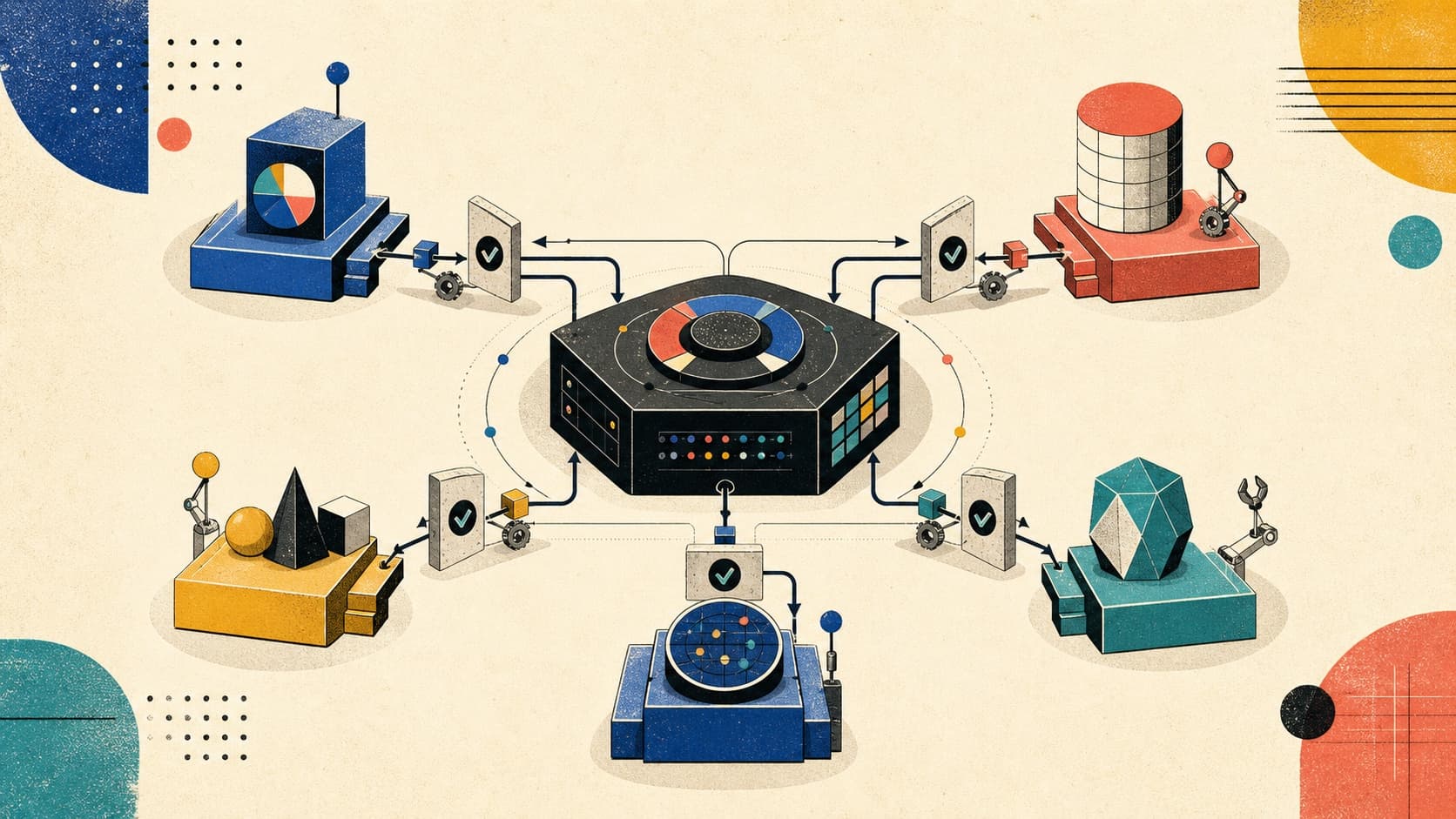
State management is one of the most debated topics in React. Every few months, a new library trends, and developers wonder: "Should I switch?"
The truth is, there's no single best solution. The right choice depends on what kind of state you're managing and how your application is structured.
In this post, we'll cover:
- The two types of state: client vs server
- React's built-in tools: useState, useReducer, Context
- When Context breaks down
- External stores: Zustand, Jotai, Redux Toolkit
- Server state: TanStack Query and SWR
- A decision framework for choosing the right tool
1. Client State vs Server State
Before choosing a library, understand what kind of state you're dealing with.
Client State
State that exists only in the browser and is owned by your UI:
- Form inputs and validation
- Modal open/closed
- Selected tab
- Dark mode preference
- UI filters and sorting
- Drag-and-drop positions
Characteristics:
- Synchronous
- Ephemeral (lost on refresh unless persisted)
- You control the source of truth
Server State
State that originates from a remote source:
- User profile from
/api/user - Product list from
/api/products - Comments, notifications, search results
Characteristics:
- Asynchronous
- Has a canonical source of truth (the server)
- Can become stale
- Needs caching, refetching, and synchronization
- Multiple components might need the same data
Interview Question: What's the difference between client state and server state?
Answer: Client state is UI-owned data that exists only in the browser (form inputs, modals, preferences). Server state originates from a remote API and needs caching, refetching, and synchronization. The key insight is they require different tools: client state needs reactive stores, while server state needs cache management with features like background refetching and optimistic updates.
2. React's Built-In Tools
Before reaching for external libraries, understand what React provides out of the box.
useState: Local Component State
The simplest option for state that belongs to a single component:
function Counter() {
  const [count, setCount] = useState(0);

  return (
    <button onClick={() => setCount(c => c + 1)}>
      Count: {count}
    </button>
  );
}
Use when:
- State is local to one component
- No need to share with siblings or distant components
useReducer: Complex Local State
When state has multiple sub-values or complex update logic:
type State = { count: number; step: number };
type Action =
  | { type: 'increment' }
  | { type: 'decrement' }
  | { type: 'setStep'; payload: number };

function reducer(state: State, action: Action): State {
  switch (action.type) {
    case 'increment':
      return { ...state, count: state.count + state.step };
    case 'decrement':
      return { ...state, count: state.count - state.step };
    case 'setStep':
      return { ...state, step: action.payload };
  }
}

function Counter() {
  const [state, dispatch] = useReducer(reducer, { count: 0, step: 1 });

  return (
    <div>
      <button onClick={() => dispatch({ type: 'decrement' })}>-</button>
      <span>{state.count}</span>
      <button onClick={() => dispatch({ type: 'increment' })}>+</button>
    </div>
  );
}
Use when:
- State has multiple related values
- Next state depends on previous state in complex ways
- You want predictable state transitions
Context: Sharing State Down the Tree
React Context lets you pass data through the component tree without prop drilling:
// 1. Create context
const ThemeContext = createContext<'light' | 'dark'>('light');

// 2. Provide at the top
function App() {
  const [theme, setTheme] = useState<'light' | 'dark'>('light');

  return (
    <ThemeContext.Provider value={theme}>
      <Header />
      <Main />
      <button onClick={() => setTheme(t => t === 'light' ? 'dark' : 'light')}>
        Toggle Theme
      </button>
    </ThemeContext.Provider>
  );
}

// 3. Consume anywhere below
function Header() {
  const theme = useContext(ThemeContext);
  return <header className={theme}>...</header>;
}
Use when:
- Data needs to be accessible by many components at different nesting levels
- Data changes infrequently (theme, locale, auth)
3. When Context Breaks Down
Context is great for low-frequency, read-heavy data. But it has a critical limitation:
The Re-render Problem
When the context value changes, every component that consumes it re-renders.
const AppContext = createContext({ user: null, theme: 'light', notifications: [] });

function App() {
  const [state, setState] = useState({
    user: { name: 'John' },
    theme: 'light',
    notifications: []
  });

  return (
    <AppContext.Provider value={state}>
      <Header />      {/* Re-renders on ANY state change */}
      <Sidebar />     {/* Re-renders on ANY state change */}
      <MainContent /> {/* Re-renders on ANY state change */}
    </AppContext.Provider>
  );
}
If notifications updates frequently, Header and Sidebar re-render even if they only care about theme.
Common Workarounds (And Their Limits)
1. Split into multiple contexts:
<ThemeContext.Provider value={theme}>
  <UserContext.Provider value={user}>
    <NotificationsContext.Provider value={notifications}>
      {children}
    </NotificationsContext.Provider>
  </UserContext.Provider>
</ThemeContext.Provider>
Works, but gets unwieldy as state grows.
2. Memoize consumers:
const Header = memo(function Header() {
  const theme = useContext(ThemeContext);
  return <header className={theme}>...</header>;
});
Helps, but doesn't prevent the context subscription from triggering.
4. External Stores: Zustand, Jotai, Redux
When Context isn't enough, external state libraries offer better performance and developer experience.
4.1 Zustand: Simple and Flexible
Zustand is a minimalist store with a hooks-based API. No providers, no boilerplate.
import { create } from 'zustand';

interface Store {
  count: number;
  increment: () => void;
  decrement: () => void;
}

const useStore = create<Store>((set) => ({
  count: 0,
  increment: () => set((state) => ({ count: state.count + 1 })),
  decrement: () => set((state) => ({ count: state.count - 1 })),
}));

// Component only re-renders when `count` changes
function Counter() {
  const count = useStore((state) => state.count);
  const increment = useStore((state) => state.increment);

  return <button onClick={increment}>Count: {count}</button>;
}
Key features:
- No Provider needed (store lives outside React)
- Built-in selectors for granular subscriptions
- Middleware support (persist, devtools, immer)
- Tiny bundle (~1KB)
Persisting to localStorage:
import { persist } from 'zustand/middleware';

const useStore = create(
  persist<Store>(
    (set) => ({
      count: 0,
      increment: () => set((state) => ({ count: state.count + 1 })),
    }),
    { name: 'counter-storage' }
  )
);
4.2 Jotai: Atomic State
Jotai takes an atomic approach — each piece of state is an independent "atom."
import { atom, useAtom } from 'jotai';

// Define atoms
const countAtom = atom(0);
const doubleCountAtom = atom((get) => get(countAtom) * 2);

// Use in components
function Counter() {
  const [count, setCount] = useAtom(countAtom);
  return <button onClick={() => setCount(c => c + 1)}>Count: {count}</button>;
}

function DoubleDisplay() {
  const [double] = useAtom(doubleCountAtom);
  return <div>Double: {double}</div>;
}
Key features:
- Bottom-up approach (atoms compose into derived state)
- No selectors needed — atoms are already granular
- Works well with Suspense and concurrent features
- Great for derived/computed state
When to choose Jotai over Zustand:
- You prefer atomic composition over centralized stores
- Lots of derived state (computed values)
- React Suspense integration is important
4.3 Redux Toolkit: The Enterprise Standard
Redux Toolkit (RTK) is the modern way to use Redux. It eliminates boilerplate and includes best practices.
import { configureStore, createSlice } from '@reduxjs/toolkit';
import { Provider, useSelector, useDispatch } from 'react-redux';

// Slice = reducer + actions bundled
const counterSlice = createSlice({
  name: 'counter',
  initialState: { value: 0 },
  reducers: {
    increment: (state) => { state.value += 1 },
    decrement: (state) => { state.value -= 1 },
    incrementByAmount: (state, action) => { state.value += action.payload },
  },
});

const store = configureStore({
  reducer: { counter: counterSlice.reducer },
});

// Component
function Counter() {
  const count = useSelector((state) => state.counter.value);
  const dispatch = useDispatch();

  return (
    <button onClick={() => dispatch(counterSlice.actions.increment())}>
      Count: {count}
    </button>
  );
}

// App
function App() {
  return (
    <Provider store={store}>
      <Counter />
    </Provider>
  );
}
Key features:
- Immer built-in (write mutating logic, get immutable updates)
- Redux DevTools integration
- RTK Query for data fetching
- Type-safe with TypeScript
- Large ecosystem and community
When to choose Redux Toolkit:
- Large team with established Redux knowledge
- Need robust DevTools and time-travel debugging
- Complex async flows with thunks/sagas
- Enterprise apps with strict patterns
Comparison Table
| Feature | Context | Zustand | Jotai | Redux Toolkit |
|---|---|---|---|---|
| Bundle size | 0 (built-in) | ~1KB | ~2KB | ~10KB |
| Boilerplate | Low | Very Low | Low | Medium |
| Selectors | ❌ | ✅ | ✅ (atoms) | ✅ |
| DevTools | ❌ | ✅ | ✅ | ✅ |
| Middleware | ❌ | ✅ | Limited | ✅ |
| Learning curve | Low | Low | Low | Medium |
| Best for | Theme, locale | UI state | Atomic state | Large apps |
5. Server State: TanStack Query and SWR
Client state libraries like Zustand are not designed for server state. Server state has unique challenges:
- Caching
- Background refetching
- Stale data management
- Optimistic updates
- Pagination and infinite scroll
- Request deduplication
TanStack Query (React Query)
The most popular solution for server state:
import { useQuery, useMutation, useQueryClient } from '@tanstack/react-query';

// Fetch data
function UserProfile({ userId }: { userId: string }) {
  const { data, isLoading, error } = useQuery({
    queryKey: ['user', userId],
    queryFn: () => fetch(`/api/users/${userId}`).then(r => r.json()),
    staleTime: 5 * 60 * 1000, // Data is fresh for 5 minutes
  });

  if (isLoading) return <div>Loading...</div>;
  if (error) return <div>Error loading user</div>;

  return <div>{data.name}</div>;
}

// Mutate and invalidate
function UpdateUserButton({ userId }: { userId: string }) {
  const queryClient = useQueryClient();

  const mutation = useMutation({
    mutationFn: (newName: string) =>
      fetch(`/api/users/${userId}`, {
        method: 'PATCH',
        body: JSON.stringify({ name: newName }),
      }),
    onSuccess: () => {
      // Invalidate and refetch
      queryClient.invalidateQueries({ queryKey: ['user', userId] });
    },
  });

  return <button onClick={() => mutation.mutate('New Name')}>Update</button>;
}
Key features:
- Automatic caching and deduplication
- Background refetching
- Stale-while-revalidate pattern
- Optimistic updates
- Infinite queries for pagination
- Suspense support
SWR (Stale-While-Revalidate)
Vercel's alternative, simpler API:
import useSWR from 'swr';

const fetcher = (url: string) => fetch(url).then(r => r.json());

function UserProfile({ userId }: { userId: string }) {
  const { data, error, isLoading } = useSWR(`/api/users/${userId}`, fetcher);

  if (isLoading) return <div>Loading...</div>;
  if (error) return <div>Error loading user</div>;

  return <div>{data.name}</div>;
}
When to choose SWR:
- Simpler needs (read-heavy, less mutation complexity)
- Smaller bundle size
- Vercel/Next.js ecosystem
When to choose TanStack Query:
- Complex mutations with optimistic updates
- Need fine-grained cache control
- Infinite scroll / pagination
- DevTools for debugging
6. Decision Framework
Here's how to think about state management:
Quick Decision Guide
| Scenario | Recommendation |
|---|---|
| Data from API | TanStack Query or SWR |
| Theme, locale, auth | React Context |
| Complex forms | React Hook Form + Zod |
| Global UI state (modals, toasts) | Zustand |
| Lots of computed/derived values | Jotai |
| Large team, complex flows | Redux Toolkit |
| Simple local state | useState/useReducer |
The Layered Approach
In practice, production apps often combine multiple solutions:
// Layer 1: Server state
const { data: user } = useQuery({ queryKey: ['user'], queryFn: fetchUser });

// Layer 2: Global UI state (Zustand)
const theme = useUIStore(state => state.theme);
const openModal = useUIStore(state => state.openModal);

// Layer 3: Local component state
const [isExpanded, setIsExpanded] = useState(false);

// Layer 4: Form state
const { register, handleSubmit } = useForm();
7. Summary
State management isn't about picking the "best" library. It's about matching the right tool to the right problem.
| State Type | Characteristics | Tools |
|---|---|---|
| Local | Single component, simple | useState, useReducer |
| Shared (low-frequency) | Theme, auth, locale | React Context |
| Shared (high-frequency) | UI state, real-time | Zustand, Jotai |
| Complex global | Large apps, DevTools needed | Redux Toolkit |
| Server | API data, caching | TanStack Query, SWR |
| Forms | Validation, submission | React Hook Form |
The best architectures use multiple layers:
- TanStack Query for server state
- Zustand or Context for global UI
- Local state for component-specific concerns
Don't over-engineer. Start with the simplest solution that works, and add complexity only when you feel the pain.
What's your go-to state management setup? Have you tried combining TanStack Query with Zustand? Share your experience in the comments!
Vikram Dokkupalle
Frontend Engineer & UI/UX Enthusiast. Passionate about React, performance, and clean design.