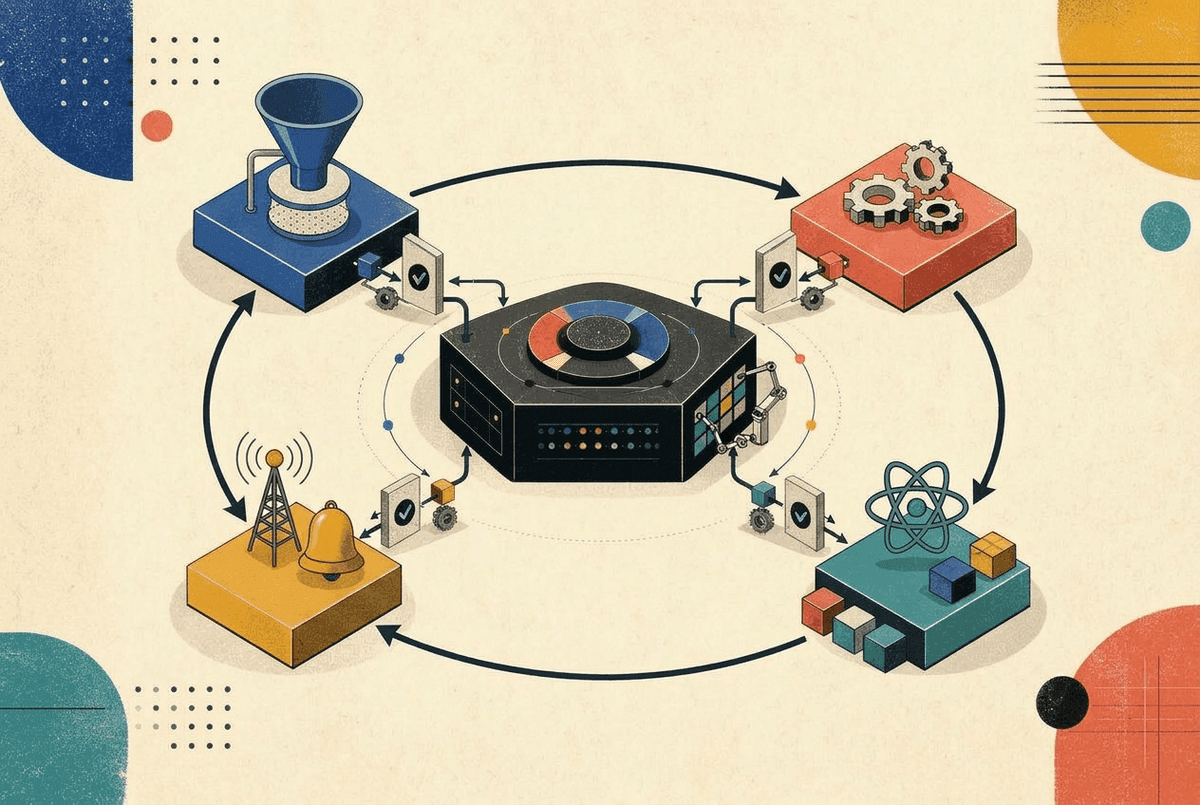
React Context is one of those features that seems simple on the surface but hides surprising complexity underneath. Every React developer has used it, but few truly understand how it works internally and why it can tank your app's performance if used carelessly.
In this deep dive, we'll explore the internals of Context, understand exactly why and when it causes re-renders, and learn battle-tested patterns to build performant, scalable state management.
How Context Works Internally
Before optimizing, let's understand what actually happens under the hood when you use Context. This section is based on React's actual source code.
Step 1: createContext() Creates the Context Object
When you call createContext(), React creates a simple object that holds the current value:
// Simplified from React source (ReactContext.js)
function createContext(defaultValue) {
  const context = {
    $$typeof: REACT_CONTEXT_TYPE,
    _currentValue: defaultValue,   // Stores the current value
    _currentValue2: defaultValue,  // For concurrent renderers (e.g., SSR)
    Provider: null,
    Consumer: null,
  };

  context.Provider = {
    $$typeof: REACT_PROVIDER_TYPE,
    _context: context,  // Provider holds reference to its context
  };

  context.Consumer = context;
  return context;
}
The key insight: the context value is stored on the context object itself (_currentValue), not on any component or fiber.
Step 2: Provider Updates _currentValue
When a Provider renders, React updates the _currentValue on the context object:
// During Provider's beginWork phase
context._currentValue = newValue;
This is simply a property assignment, the context object acts like a mutable container.
Step 3: useContext() Reads and Creates Dependencies
Here's where it gets interesting. When a component calls useContext(), React does two things:
- Reads the current value from
context._currentValue - Creates a dependency linking this fiber to the context
But first, we need to understand two module-level variables that React uses to track dependencies:
// Module-level variables in ReactFiberNewContext.js
let currentlyRenderingFiber = null;  // The fiber currently being rendered
let lastContextDependency = null;     // Tail of the dependency linked list
prepareToReadContext() - Initialization
Before rendering any component, React calls prepareToReadContext() to set up dependency tracking:
function prepareToReadContext(workInProgress) {
  currentlyRenderingFiber = workInProgress;
  lastContextDependency = null;  // Reset - start fresh for this component

  // Clear previous dependencies (they'll be rebuilt during render)
  if (workInProgress.dependencies !== null) {
    workInProgress.dependencies.firstContext = null;
  }
}
readContext() - Building the Linked List
Now, each time useContext() is called, readContext() appends a new dependency:
// Simplified from React source (ReactFiberNewContext.js)
function readContext(context) {
  const value = context._currentValue;

  // Create a dependency object
  const contextItem = {
    context: context,        // Which context this depends on
    memoizedValue: value,    // The value at time of reading
    next: null,              // Link to next dependency (linked list)
  };

  // Add to the fiber's dependency list
  if (lastContextDependency === null) {
    // First dependency for this component
    currentlyRenderingFiber.dependencies = {
      lanes: NoLanes,
      firstContext: contextItem,
    };
    lastContextDependency = contextItem;  // Point to first item
  } else {
    // Append to existing list
    lastContextDependency.next = contextItem;  // Link previous → new
    lastContextDependency = contextItem;        // Move tail pointer
  }

  return value;
}
Visual Example: Building the Dependency List
If a component calls useContext() three times:
function MyComponent() {
  const theme = useContext(ThemeContext);   // Call 1
  const user = useContext(UserContext);     // Call 2
  const cart = useContext(CartContext);     // Call 3
  return <div>...</div>;
}
The linked list builds incrementally:
After Call 1:
After Call 2:
After Call 3:
dependencies on each fiber is a linked list of all contexts that component consumes. This structure allows React to efficiently check if any of a component's contexts have changed.Step 4: propagateContextChange() Finds Consumers
When a Provider's value changes, React needs to find all consumers. Unlike a pub/sub system with a global subscriber list, React walks the fiber tree:
// Simplified from React source
function propagateContextChange(workInProgress, context, newValue) {
  let fiber = workInProgress.child;

  while (fiber !== null) {
    // Check if this fiber consumes this context
    let dependency = fiber.dependencies?.firstContext;

    while (dependency !== null) {
      if (dependency.context === context) {
        // Found a consumer! Schedule an update.
        scheduleUpdateOnFiber(fiber);
        break;
      }
      dependency = dependency.next;
    }

    // Continue depth-first traversal
    if (fiber.child !== null) {
      fiber = fiber.child;
    } else {
      // Move to sibling or back up
      while (fiber.sibling === null && fiber.return !== null) {
        fiber = fiber.return;
      }
      fiber = fiber.sibling;
    }
  }
}
Here's how the traversal looks on a typical component tree:
React walks: App → Header → Main → Sidebar → Content → ThemeToggle (found! schedule update) → Footer
dependencies to see if it consumes the changed context.Why React.memo() Doesn't Help
Now we can understand why React.memo() doesn't prevent context-triggered re-renders:
const MemoizedChild = React.memo(function Child() {
  const theme = useContext(ThemeContext);
  return <div>{theme}</div>;
});- When context changes,
propagateContextChange()walks the tree - It finds
Child's fiber hasThemeContextin its dependencies - React calls
scheduleUpdateOnFiber(childFiber)directly - This bypasses the memo check entirely, context updates are a parallel update path
Why Context Causes Excessive Re-renders
The most common performance issue with Context is the "everything re-renders" problem. Let's see why this happens.
Problem 1: Object Values Create New References
// ❌ BAD: New object on every render
function App() {
  const [user, setUser] = useState({ name: 'John', age: 30 });
  const [theme, setTheme] = useState('dark');

  return (
    // This object is recreated every render, even if user/theme didn't change!
    <AppContext.Provider value={{ user, theme, setUser, setTheme }}>
      <Dashboard />
    </AppContext.Provider>
  );
}
Every time App re-renders (for any reason), a new object { user, theme, ... } is created. Since Object.is({}, {}) is false, React thinks the context changed and re-renders all consumers.
Problem 2: Unrelated State in Same Context
// ❌ BAD: Mixing unrelated state
const AppContext = createContext(null);

function AppProvider({ children }) {
  const [user, setUser] = useState(null);
  const [cart, setCart] = useState([]);
  const [notifications, setNotifications] = useState([]);
  const [theme, setTheme] = useState('light');

  return (
    <AppContext.Provider value={{
      user, setUser,
      cart, setCart,
      notifications, setNotifications,
      theme, setTheme
    }}>
      {children}
    </AppContext.Provider>
  );
}

// Now when notifications update, components that only care about theme re-render!
function ThemeToggle() {
  const { theme, setTheme } = useContext(AppContext);
  // Re-renders when cart, notifications, or user change too 😱
  return <button onClick={() => setTheme(t => t === 'light' ? 'dark' : 'light')}>Toggle</button>;
}
Problem 3: Provider Component Re-renders
// ❌ BAD: Provider in a frequently re-rendering component
function App() {
  const [count, setCount] = useState(0);
  const theme = useMemo(() => ({ mode: 'dark' }), []);

  // Even with useMemo, every time count changes,
  // App re-renders, Provider re-renders, and React checks all consumers
  return (
    <ThemeContext.Provider value={theme}>
      <button onClick={() => setCount(c => c + 1)}>{count}</button>
      <ExpensiveTree />
    </ThemeContext.Provider>
  );
}
Optimization Patterns
Now that we understand the problems, let's explore proven solutions.
Pattern 1: Memoize the Context Value
The simplest fix is to memoize the value object:
// ✅ GOOD: Memoized value
function AppProvider({ children }) {
  const [user, setUser] = useState(null);
  const [theme, setTheme] = useState('dark');

  // Value only changes when user or theme actually change
  const value = useMemo(() => ({
    user,
    theme,
    setUser,
    setTheme,
  }), [user, theme]);

  return (
    <AppContext.Provider value={value}>
      {children}
    </AppContext.Provider>
  );
}⚠️ Limitation: This Doesn't Prevent All Re-renders
useMemo only solves the "new object reference" problem. There's another re-render source it doesn't address: normal parent-to-child re-rendering.
function AppProvider({ children }) {
  const [user, setUser] = useState(null);
  const [unrelatedState, setUnrelatedState] = useState(0);

  const value = useMemo(() => ({ user, setUser }), [user]);

  return (
    <UserContext.Provider value={value}>
      {children}  {/* ❌ children re-render when unrelatedState changes! */}
    </UserContext.Provider>
  );
}
When unrelatedState changes:
AppProviderre-renders (normal React behavior)valuestays the same (thanks touseMemo)- But
childrenis a new JSX tree, so all children still re-render (props re-render, not context re-render)
The fix: Extract the Provider into a separate component that only has context-related state:
// ✅ BETTER: Provider component only has context state
function UserProvider({ children }) {
  const [user, setUser] = useState(null);
  const value = useMemo(() => ({ user, setUser }), [user]);

  return (
    <UserContext.Provider value={value}>
      {children}
    </UserContext.Provider>
  );
}

// Other state lives elsewhere
function App() {
  const [unrelatedState, setUnrelatedState] = useState(0);

  return (
    <UserProvider>
      {/* Now children don't re-render when unrelatedState changes */}
      <Dashboard />
    </UserProvider>
  );
}Pattern 2: Split Contexts by Domain
Separate unrelated data into different contexts:
// ✅ GOOD: Separate contexts for separate concerns
const UserContext = createContext(null);
const CartContext = createContext(null);
const ThemeContext = createContext('light');

function UserProvider({ children }) {
  const [user, setUser] = useState(null);
  const value = useMemo(() => ({ user, setUser }), [user]);
  return <UserContext.Provider value={value}>{children}</UserContext.Provider>;
}

function CartProvider({ children }) {
  const [cart, setCart] = useState([]);
  const value = useMemo(() => ({ cart, setCart }), [cart]);
  return <CartContext.Provider value={value}>{children}</CartContext.Provider>;
}

function ThemeProvider({ children }) {
  const [theme, setTheme] = useState('light');
  const value = useMemo(() => ({ theme, setTheme }), [theme]);
  return <ThemeContext.Provider value={value}>{children}</ThemeContext.Provider>;
}

// Compose providers
function AppProviders({ children }) {
  return (
    <ThemeProvider>
      <UserProvider>
        <CartProvider>
          {children}
        </CartProvider>
      </UserProvider>
    </ThemeProvider>
  );
}
Now components only re-render when their specific context changes.
Pattern 3: Separate State and Dispatch Contexts
For reducers, split state from dispatch to prevent action-only consumers from re-rendering:
// ✅ GOOD: Separate state and dispatch
const CartStateContext = createContext(null);
const CartDispatchContext = createContext(null);

function cartReducer(state, action) {
  switch (action.type) {
    case 'ADD_ITEM':
      return { ...state, items: [...state.items, action.payload] };
    case 'REMOVE_ITEM':
      return { ...state, items: state.items.filter(i => i.id !== action.payload) };
    case 'CLEAR':
      return { ...state, items: [] };
    default:
      return state;
  }
}

function CartProvider({ children }) {
  const [state, dispatch] = useReducer(cartReducer, { items: [] });

  return (
    <CartStateContext.Provider value={state}>
      <CartDispatchContext.Provider value={dispatch}>
        {children}
      </CartDispatchContext.Provider>
    </CartStateContext.Provider>
  );
}

// Custom hooks for clean API
function useCartState() {
  const context = useContext(CartStateContext);
  if (!context) throw new Error('useCartState must be used within CartProvider');
  return context;
}

function useCartDispatch() {
  const context = useContext(CartDispatchContext);
  if (!context) throw new Error('useCartDispatch must be used within CartProvider');
  return context;
}

// Now this component NEVER re-renders when cart items change
function AddToCartButton({ product }) {
  const dispatch = useCartDispatch(); // dispatch is stable!

  return (
    <button onClick={() => dispatch({ type: 'ADD_ITEM', payload: product })}>
      Add to Cart
    </button>
  );
}

// Only this component re-renders when cart changes
function CartBadge() {
  const { items } = useCartState();
  return <span className="badge">{items.length}</span>;
}Pattern 4: Context Selectors (The Missing Feature)
React doesn't natively support selecting slices of context (like Redux selectors). Here's the problem:
const UserContext = createContext({
  user: { name: 'John', avatar: '/john.png' },
  preferences: { theme: 'dark' }
});

function UserAvatar() {
  const { user } = useContext(UserContext);  // Consumes entire context
  return <img src={user.avatar} alt="avatar" />;
}

// Problem: UserAvatar re-renders when preferences.theme changes,
// even though it only uses user.avatar!
A naive selector doesn't help either:
// ❌ This still re-renders on every context change
function useContextSelector(context, selector) {
  const value = useContext(context);  // This always triggers re-render!
  return selector(value);             // Selection happens AFTER re-render
}
How use-context-selector Actually Solves This
The use-context-selector (opens in a new tab) library works around React's context limitations by using a clever combination of:
- Subscriptions instead of native context consumption
- Refs to store the latest value without triggering renders
- Manual comparison to decide if re-render is needed
Here's a simplified version of how it works internally:
// Simplified internals of use-context-selector
function createContext(defaultValue) {
  const context = React.createContext({
    value: defaultValue,
    // Store for subscriptions
    listeners: new Set(),
  });

  return context;
}

function useContextSelector(context, selector) {
  const { value, listeners } = React.useContext(context);

  // Store selected value in ref (no re-render on update)
  const selectedRef = useRef(selector(value));

  // Track if this component needs update
  const [, forceRender] = useReducer(c => c + 1, 0);

  useEffect(() => {
    // Subscribe to context changes
    const listener = (nextValue) => {
      const nextSelected = selector(nextValue);

      // Only force re-render if selected value changed
      if (!Object.is(selectedRef.current, nextSelected)) {
        selectedRef.current = nextSelected;
        forceRender();  // Trigger re-render
      }
      // If selected value is same, do nothing (no re-render!)
    };

    listeners.add(listener);
    return () => listeners.delete(listener);
  }, []);

  return selectedRef.current;
}
The key insight is that it bypasses React's native context propagation:
Usage
// Use the library's createContext and useContextSelector
import { createContext, useContextSelector } from 'use-context-selector';

const UserContext = createContext(null);

function UserProvider({ children }) {
  const [state, setState] = useState({
    user: { name: 'John', avatar: '/john.png' },
    preferences: { theme: 'dark' }
  });

  return (
    <UserContext.Provider value={{ state, setState }}>
      {children}
    </UserContext.Provider>
  );
}

// ✅ Only re-renders when user.avatar changes
function UserAvatar() {
  const avatar = useContextSelector(
    UserContext,
    (ctx) => ctx.state.user.avatar
  );
  return <img src={avatar} alt="avatar" />;
}

// ✅ Only re-renders when theme changes
function ThemeDisplay() {
  const theme = useContextSelector(
    UserContext,
    (ctx) => ctx.state.preferences.theme
  );
  return <span>Current theme: {theme}</span>;
}For production apps, consider using use-context-selector (opens in a new tab) or similar libraries like zustand (opens in a new tab) which has built-in selector support.
Pattern 5: Colocate State with Components
Sometimes the best solution is to not use Context at all:
// ❌ Over-using Context
const ModalContext = createContext(null);

function App() {
  const [isOpen, setIsOpen] = useState(false);
  return (
    <ModalContext.Provider value={{ isOpen, setIsOpen }}>
      <ModalTrigger />
      <Modal />
    </ModalContext.Provider>
  );
}

// ✅ Just lift state to the common ancestor
function App() {
  const [isOpen, setIsOpen] = useState(false);
  return (
    <>
      <ModalTrigger onOpen={() => setIsOpen(true)} />
      <Modal isOpen={isOpen} onClose={() => setIsOpen(false)} />
    </>
  );
}Advanced Pattern: Compound Components with Context
Context shines for building compound component APIs:
// Compound component pattern
const TabsContext = createContext(null);

function Tabs({ children, defaultValue }) {
  const [activeTab, setActiveTab] = useState(defaultValue);
  const value = useMemo(() => ({ activeTab, setActiveTab }), [activeTab]);

  return (
    <TabsContext.Provider value={value}>
      <div className="tabs">{children}</div>
    </TabsContext.Provider>
  );
}

function TabList({ children }) {
  return <div className="tab-list" role="tablist">{children}</div>;
}

function Tab({ value, children }) {
  const { activeTab, setActiveTab } = useContext(TabsContext);
  const isActive = activeTab === value;

  return (
    <button
      role="tab"
      aria-selected={isActive}
      className={isActive ? 'tab active' : 'tab'}
      onClick={() => setActiveTab(value)}
    >
      {children}
    </button>
  );
}

function TabPanels({ children }) {
  return <div className="tab-panels">{children}</div>;
}

function TabPanel({ value, children }) {
  const { activeTab } = useContext(TabsContext);
  if (activeTab !== value) return null;
  return <div role="tabpanel">{children}</div>;
}

// Clean, composable API
function App() {
  return (
    <Tabs defaultValue="overview">
      <TabList>
        <Tab value="overview">Overview</Tab>
        <Tab value="features">Features</Tab>
        <Tab value="pricing">Pricing</Tab>
      </TabList>
      <TabPanels>
        <TabPanel value="overview">Overview content...</TabPanel>
        <TabPanel value="features">Features content...</TabPanel>
        <TabPanel value="pricing">Pricing content...</TabPanel>
      </TabPanels>
    </Tabs>
  );
}
Performance Debugging: Finding Context Re-renders
Using React DevTools Profiler
- Open React DevTools → Profiler tab
- Enable "Record why each component rendered"
- Perform the action that triggers re-renders
- Look for components showing "Context changed" as the reason
Manual Logging
function useContextDebug(context, name) {
  const value = useContext(context);
  const renderCount = useRef(0);

  useEffect(() => {
    renderCount.current++;
    console.log(`[${name}] Render #${renderCount.current}`, value);
  });

  return value;
}

// Usage
function MyComponent() {
  const theme = useContextDebug(ThemeContext, 'MyComponent');
  // ...
}
Why Did You Render Library
import whyDidYouRender from '@welldone-software/why-did-you-render';

whyDidYouRender(React, {
  trackAllPureComponents: true,
  trackHooks: true,
});

// Mark specific components
MyComponent.whyDidYouRender = true;
Best Practices Summary
| Practice | Why It Matters |
|---|---|
| Memoize context values | Prevents new object reference on every render |
| Split contexts by domain | Limits re-render scope to relevant consumers |
| Separate state from dispatch | Dispatch-only consumers never re-render |
| Keep providers high, but not too high | Balance between prop drilling and re-render scope |
| Use context selectors | Re-render only when selected value changes |
| Don't overuse context | Props are simpler for localized state |
When NOT to Use Context
- Frequently updating state (typing, animations, drag positions)
- Large collections that update individual items often
- State that only 2-3 nearby components need
For these cases, consider:
useStateat the lowest common ancestoruseReducerfor complex state- External state libraries (Zustand, Jotai) for frequent updates
- React Query/SWR for server state
Conclusion
React Context is a powerful tool when used correctly. The key insights are:
- Context bypasses
React.memo()- consumers always re-render on value change - Object values need memoization - new references trigger re-renders
- Split contexts strategically - isolate update scopes
- Separate state from actions - dispatch is stable, state is not
Master these patterns, and you'll build applications that are both well-architected and performant.
Have questions about Context patterns or performance issues? Drop a comment below!
Vikram Dokkupalle
Frontend Engineer & UI/UX Enthusiast. Passionate about React, performance, and clean design.