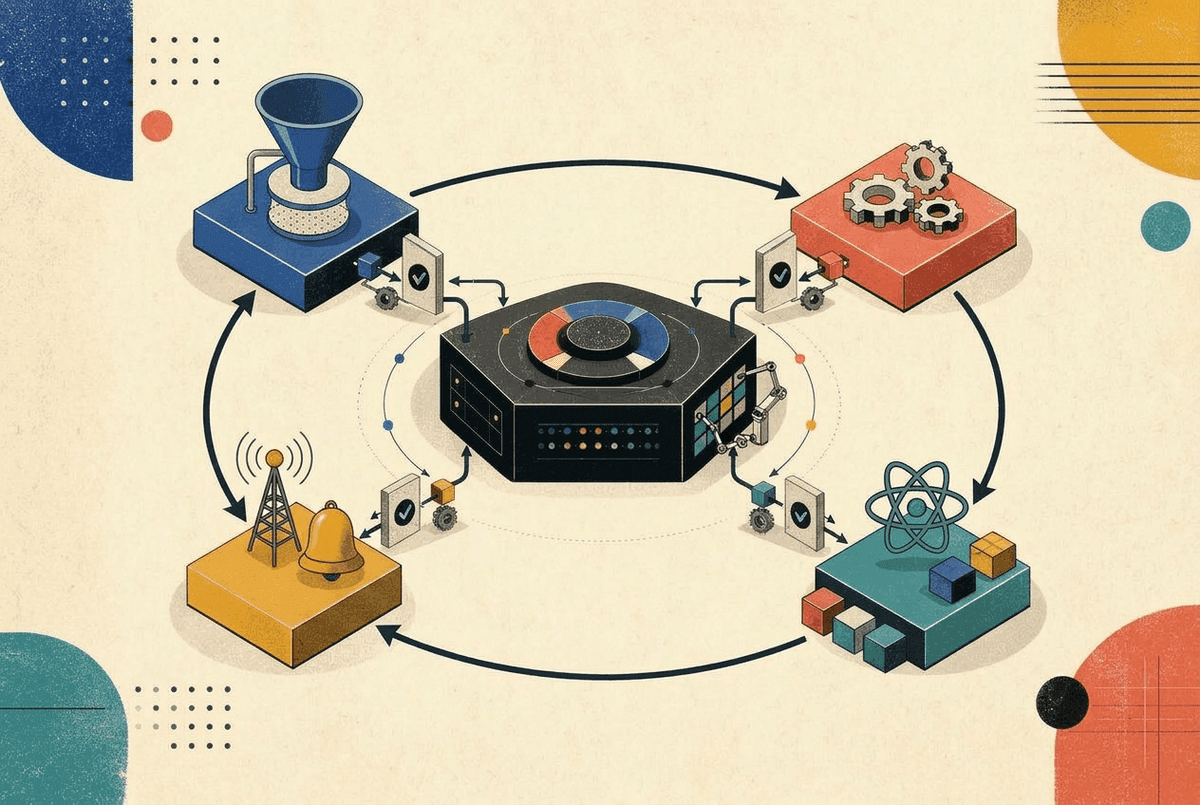
I recently came across Dan Abramov's RSC Explorer (opens in a new tab) and his accompanying blog post (opens in a new tab). Stepping through the RSC protocol line by line made everything click. This inspired me to write a comprehensive guide covering everything I've learned about React Server Components.
In this deep dive, we'll explore how RSC works under the hood, from the wire protocol to streaming architecture, and learn patterns that help build performant Next.js applications.
The Evolution: SSR → CSR → RSC
To understand what problem RSC solves, let's trace the evolution of React rendering:
Server-Side Rendering (SSR)
Traditional SSR renders React components to HTML on the server:
Browser Request → Server renders HTML → Send to browser → Download JS → Hydrate entire appThe problem: Even though users see HTML immediately, the app isn't interactive until the entire JavaScript bundle downloads and hydrates. For large apps, this "time to interactive" gap is painful.
Client-Side Rendering (CSR)
Pure SPAs render everything in the browser:
Browser Request → Send empty HTML + JS → Download JS → Render in browserThe problem: Users see a blank screen until JavaScript loads and executes. Terrible for SEO and first paint metrics.
React Server Components (RSC)
RSC introduces a fundamentally different model:
Browser Request → Server renders RSC → Stream as RSC payload → Client reconstructs UIThe key insight: Some components never need to be interactive. Why ship their JavaScript to the browser at all?
SSR vs RSC: Key Differences
Let's clarify a common misconception: RSC is not a replacement for SSR. They work together.
| Aspect | Traditional SSR | React Server Components |
|---|---|---|
| Output | HTML string | RSC payload (serialized React tree) |
| Hydration | Entire app hydrates | Only client components hydrate |
| Component JS | All components shipped to browser | Server components = 0KB client JS |
| Re-rendering | Re-render requires new page load (or client hydration) | Can refetch server components without losing client state |
| Data Fetching | Double data fetching (server render + client hydration) | Server components fetch once, no client duplication |
The Mental Model Shift
Think of your component tree as having two types of nodes:
-
Server Components (default): Run only on the server. Can use async/await, access databases directly, read files. Zero JavaScript shipped to client.
-
Client Components (marked with
"use client"): Run on both server (for SSR) and client. Can use hooks, event handlers, browser APIs.
// This is a Server Component (default)
async function BlogPost({ slug }) {
  // Direct database access - no API needed!
  const post = await db.posts.findUnique({ where: { slug } });

  return (
    <article>
      <h1>{post.title}</h1>
      <PostContent content={post.content} />
      {/* Client component for interactivity */}
      <LikeButton postId={post.id} initialCount={post.likes} />
    </article>
  );
}
// LikeButton.tsx
"use client";
import { useState } from 'react';
export function LikeButton({ postId, initialCount }) {
const [count, setCount] = useState(initialCount);
return (
<button onClick={() => setCount(c => c + 1)}>
❤️ {count}
</button>
);
}How Streaming SSR Works
One of RSC's superpowers is streaming. Instead of waiting for the entire page to render, Next.js streams content as it becomes ready. Let's understand this with a practical example.
What Are Async Components?
Unlike traditional React components, Server Components can be async functions. This means they can directly await data fetches, database queries, or any asynchronous operation:
// A simple async server component
async function UserProfile({ userId }) {
  const user = await db.users.findUnique({ where: { id: userId } });
  return <div>{user.name}</div>;
}
No useEffect, no loading states, no data fetching libraries. Just async/await. This is powerful, but what happens when the async operation is slow?
The Problem: Slow Async Components Block Rendering
Consider this component that simulates a slow database query:
// SlowComponent.tsx
async function SlowComponent() {
  // Simulate a slow database query or API call
  await new Promise((resolve) => setTimeout(resolve, 3000));

  return (
    <div>
      This is a slow component that took 3 seconds to load.
    </div>
  );
}

export default SlowComponent;
Now, if you render this component directly in a page:
// page.tsx - Without Suspense
export default async function Page() {
  return (
    <div>
      <h1>Welcome to my site!</h1>
      <SlowComponent />
      <footer>Footer content</footer>
    </div>
  );
}
The problem: The entire page waits 3 seconds before ANY HTML is sent to the browser. The user stares at a blank screen.
The Solution: Suspense Enables Streaming
Wrap the slow component in <Suspense> to unlock streaming:
// page.tsx - With Suspense
import { Suspense } from 'react';

export default async function Page() {
  return (
    <div>
      <h1>Welcome to my site!</h1>

      <Suspense fallback={<div>Loading slow component...</div>}>
        <SlowComponent />
      </Suspense>

      <footer>Footer content</footer>
    </div>
  );
}
Now what happens:
- Browser receives the header and footer immediately
- The loading fallback shows in place of
SlowComponent - After 3 seconds, the actual content streams in and replaces the fallback
- No full page reload - React swaps the content seamlessly
HTTP Chunked Transfer Encoding
Under the hood, streaming uses HTTP's chunked transfer encoding:
HTTP/1.1 200 OK
Transfer-Encoding: chunked

<html><head>...</head><body>
<h1>Welcome to my site!</h1>
<div>Loading slow component...</div>
<footer>Footer content</footer>
<!-- Connection stays open... -->
The browser receives and renders this immediately. Then, 3 seconds later:
<!-- More chunks arrive -->
<div hidden id="S:0">
  <div>This is a slow component that took 3 seconds to load.</div>
</div>
<script>$RC("B:0", "S:0")</script>
</body></html>
The browser can start parsing and rendering HTML while more chunks are still arriving.
The Streaming Protocol: Placeholders and Swaps
When React streams content, it uses special comment markers in the HTML:
<!-- Initial HTML sent immediately -->
<h1>Welcome to my site!</h1>

<!--$?-->
<template id="B:0"></template>
<div>Loading slow component...</div>
<!--/$-->

<footer>Footer content</footer><!--$?-->- Marks a Suspense boundary with pending content<template id="B:0">- Placeholder that will be replaced<!--/$-->- End of the Suspense boundary
When the slow content resolves, React streams additional HTML:
<div hidden id="S:0">
  <div>This is a slow component that took 3 seconds to load.</div>
</div>
<script>$RC("B:0", "S:0")</script>
The $RC (React Client) function swaps the placeholder with the actual content:
// Simplified version of what $RC does
function $RC(boundaryId, contentId) {
  const boundary = document.getElementById(boundaryId);
  const content = document.getElementById(contentId);

  // Replace the fallback with actual content
  boundary.replaceWith(content.content);
  content.remove();
}
Multiple Suspense Boundaries
You can have multiple independent Suspense boundaries, each streaming when ready:
async function Page() {
  return (
    <div>
      <Header /> {/* Renders immediately */}

      <Suspense fallback={<ProductsSkeleton />}>
        <ProductList /> {/* 500ms - streams first */}
      </Suspense>

      <Suspense fallback={<ReviewsSkeleton />}>
        <ReviewsList /> {/* 2000ms - streams second */}
      </Suspense>

      <Suspense fallback={<RecommendationsSkeleton />}>
        <Recommendations /> {/* 3000ms - streams last */}
      </Suspense>

      <Footer /> {/* Renders immediately */}
    </div>
  );
}
Each component streams in as soon as it's ready. No component blocks another.
Core Web Vitals Impact
Streaming dramatically improves Core Web Vitals:
| Metric | Without Suspense | With Suspense + Streaming |
|---|---|---|
| FCP (First Contentful Paint) | 3+ seconds (waits for slowest component) | ~100ms (immediate) |
| LCP (Largest Contentful Paint) | Blocked by slow components | Hero content loads first |
| TTI (Time to Interactive) | Waits for everything | Progressive - fast parts work immediately |
The RSC Payload Format (Flight Protocol)
When you navigate client-side in a Next.js app (via <Link> or router.push), you don't get HTML. You get an RSC payload. This is the Flight protocol - React's wire format for sending the rendered output of server components over the network.
How Client-Side Navigation Works
Unlike traditional page navigations, clicking a <Link> doesn't reload the page. Here's what happens:
- No browser refresh - the page stays mounted
- Fetch only what changed - Next.js requests the RSC payload for just the new route segment
- React reconciles - compares the new payload with the current component tree
- Partial update - only the changed parts re-render; shared layouts stay in place
/dashboard          →    /dashboard/settings
┌──────────────────┐     ┌──────────────────┐
│ Header (layout)  │     │ Header (cached)  │  ← Not refetched
├──────────────────┤     ├──────────────────┤
│ Sidebar (layout) │     │ Sidebar (cached) │  ← Not refetched
├──────────────────┤     ├──────────────────┤
│ Page A content   │  →  │ Page B content   │  ← Only this fetched
└──────────────────┘     └──────────────────┘
This means:
- Layouts are preserved - shared UI (headers, sidebars) isn't re-rendered
- Client state survives - form inputs, scroll position, and component state in layouts persist
- Faster navigations - smaller payloads since only page segments are fetched
Open your browser's Network tab and look for requests with Accept: text/x-component or RSC: 1 headers. Let's decode what you'll see.
Basic Elements: Server Components to Flight Format
Consider this simple server component:
// A simple server component
async function Greeting() {
  return (
    <div>
      <h1>Hello World</h1>
    </div>
  );
}
This produces the following RSC payload:
0:["$","div",null,{"children":[["$","h1",null,{"children":"Hello World"}]]}]Let's break down the format:
// Format: [type, elementType, key, props]
["$", "div", null, {
  children: [
    ["$", "h1", null, { children: "Hello World" }]
  ]
}]"$"- Indicates this is a React element"div"- The element type (string tag or component reference)null- The React key{...}- Props including children
Async Components: The $L Notation
When a component is async or lazy-loaded, React uses lazy references to stream content progressively:
// An async component that fetches data
async function BlogPost({ slug }) {
  const post = await db.posts.findUnique({ where: { slug } });

  return (
    <div className="post">
      <h1>{post.title}</h1>
      <p>{post.content}</p>
    </div>
  );
}

// Parent component rendering it
async function Page() {
  return <BlogPost slug="hello-world" />;
}
The RSC payload streams in multiple lines:
// Line 1: References $L2 - "lazy load chunk #2 when it arrives"
1:["$","$L2",null,{"slug":"hello-world"}]

// Line 2: The actual resolved content (arrives later)
2:["$","div",null,{"className":"post","children":[["$","h1",null,{"children":"My First Post"}],["$","p",null,{"children":"Post content here..."}]]}]
The $L2 means "this is a lazy reference to chunk #2". React waits for line 2: to arrive in the stream, then substitutes it in place. This is how streaming works: React can send the page structure immediately while async content resolves.
Client Components: The I Notation
Client components are referenced by their module path, not serialized. Here's a server component that renders a client component:
// Server Component
async function PostPage({ slug }) {
  const post = await db.posts.findUnique({ where: { slug } });

  return (
    <article>
      <h1>{post.title}</h1>
      {/* LikeButton is a client component */}
      <LikeButton postId={post.id} initialCount={post.likes} />
    </article>
  );
}
// LikeButton.tsx - Client Component
"use client";
import { useState } from 'react';
export function LikeButton({ postId, initialCount }) {
const [count, setCount] = useState(initialCount);
return <button onClick={() => setCount(c => c + 1)}>❤️ {count}</button>;
}This produces:
// Line 0: Client component IMPORT declaration
0:I["(app)/components/LikeButton.tsx",["default"],"LikeButton"]

// Line 1: The component tree - notice $L0 references the import
1:["$","article",null,{"children":[["$","h1",null,{"children":"My Post"}],["$","$L0",null,{"postId":123,"initialCount":5}]]}]I[...] line declares a client module import. The component code itself lives in a separate JavaScript bundle that the browser loads. The RSC payload just says "render this client component with these props."Content Negotiation
Next.js uses content negotiation to decide what format to send:
| Request Header | Response |
|---|---|
Accept: text/html (initial page load) | Full HTML with embedded RSC payload |
Accept: text/x-component (client navigation) | Pure RSC payload |
RSC: 1 | RSC payload |
Next-Router-State-Tree: ... | Partial RSC payload (layout stays cached) |
Server Actions Deep Dive
Server Actions let you define server-side functions that can be called directly from client components.
The "use server" Directive
// actions.ts
"use server";

export async function createPost(formData: FormData) {
  const title = formData.get("title");
  const content = formData.get("content");

  const post = await db.posts.create({
    data: { title, content }
  });

  revalidatePath("/posts");
  return { success: true, postId: post.id };
}
How Forms Work: Hidden Inputs
When you use a server action with a form, Next.js adds hidden inputs:
"use client";

import { createPost } from "./actions";

export function CreatePostForm() {
  return (
    <form action={createPost}>
      <input name="title" />
      <textarea name="content" />
      <button type="submit">Create</button>
    </form>
  );
}
The rendered HTML includes:
<form action="" method="POST">
  <input type="hidden" name="$ACTION_ID" value="abc123..." />
  <input name="title" />
  <textarea name="content"></textarea>
  <button type="submit">Create</button>
</form>
The $ACTION_ID tells the server which action to invoke.
Progressive Enhancement
Server Actions work without JavaScript. This is progressive enhancement in action:
- Without JS: Form submits traditionally, server processes, returns new page
- With JS: React intercepts, sends fetch request, updates UI without reload
Without JavaScript:
With JavaScript:
useActionState Pattern
For forms that need loading states and error handling:
"use client";

import { useActionState } from "react";
import { createPost } from "./actions";

export function CreatePostForm() {
  const [state, formAction, isPending] = useActionState(createPost, null);

  return (
    <form action={formAction}>
      <input name="title" disabled={isPending} />
      <textarea name="content" disabled={isPending} />

      {state?.error && <p className="error">{state.error}</p>}

      <button type="submit" disabled={isPending}>
        {isPending ? "Creating..." : "Create Post"}
      </button>
    </form>
  );
}
Returning JSX from Server Actions
Server actions can return JSX, which React will render:
"use server";

export async function loadMorePosts(offset: number) {
  const posts = await db.posts.findMany({
    skip: offset,
    take: 10
  });

  // Return JSX directly!
  return (
    <>
      {posts.map(post => (
        <PostCard key={post.id} post={post} />
      ))}
    </>
  );
}
"use client";
import { useState, useTransition } from "react";
import { loadMorePosts } from "./actions";
export function PostList({ initialPosts }) {
const [posts, setPosts] = useState(initialPosts);
const [offset, setOffset] = useState(10);
const [isPending, startTransition] = useTransition();
async function handleLoadMore() {
startTransition(async () => {
const newPosts = await loadMorePosts(offset);
setPosts(prev => [...prev, newPosts]);
setOffset(prev => prev + 10);
});
}
return (
<div>
{posts}
<button onClick={handleLoadMore} disabled={isPending}>
{isPending ? "Loading..." : "Load More"}
</button>
</div>
);
}Client vs Server Component Boundaries
Understanding boundaries is crucial for performance.
"use client" Does NOT Mean "Client Only"
A common misconception. When you mark a component with "use client":
- Initial request: Server still SSRs it to HTML
- Hydration: Component hydrates and becomes interactive
- Subsequent renders: Component runs on client
The directive marks where the hydration boundary begins, not where server rendering stops.
What Can Cross the Boundary
Props passed from Server to Client components must be serializable:
| ✅ Can Pass | ❌ Cannot Pass |
|---|---|
| Strings, numbers, booleans | Functions (unless server actions) |
| Arrays, plain objects | Classes, instances |
| Dates (serialized) | Symbols |
| null, undefined | DOM nodes |
| Server Actions | Promises (use use() hook instead) |
// ❌ This will error
async function ServerComponent() {
  const handleClick = () => console.log("clicked"); // Function!

  return <ClientComponent onClick={handleClick} />; // Error!
}

// ✅ Use server actions instead
async function ServerComponent() {
  async function handleSubmit(formData: FormData) {
    "use server";
    // Process on server
  }

  return <ClientComponent onSubmit={handleSubmit} />; // Works!
}
Boundary Placement Strategy
Push "use client" as far down the tree as possible:
// ❌ Poor: Entire page becomes client component
"use client";

export function ProductPage({ product }) {
  const [quantity, setQuantity] = useState(1);

  return (
    <div>
      <ProductImages images={product.images} />  {/* Could be server! */}
      <ProductDescription desc={product.description} />  {/* Could be server! */}
      <ProductReviews reviews={product.reviews} />  {/* Could be server! */}
      <QuantityPicker value={quantity} onChange={setQuantity} />  {/* Needs client */}
    </div>
  );
}
// ✅ Better: Only interactive parts are client components
// ProductPage.tsx (Server Component)
export function ProductPage({ product }) {
return (
<div>
<ProductImages images={product.images} />
<ProductDescription desc={product.description} />
<ProductReviews reviews={product.reviews} />
<QuantityPicker initialValue={1} /> {/* Only this is client */}
</div>
);
}
// QuantityPicker.tsx
"use client";
export function QuantityPicker({ initialValue }) {
const [quantity, setQuantity] = useState(initialValue);
return <input type="number" value={quantity} onChange={e => setQuantity(e.target.value)} />;
}Composition Pattern: Server Component with Client Children
You can pass Server Components as children to Client Components:
// Server Component
async function Dashboard() {
  const data = await fetchDashboardData();

  return (
    <ClientTabs>
      {/* These are server components passed as children! */}
      <OverviewTab data={data.overview} />
      <AnalyticsTab data={data.analytics} />
      <SettingsTab data={data.settings} />
    </ClientTabs>
  );
}

// ClientTabs.tsx
"use client";
export function ClientTabs({ children }) {
  const [activeTab, setActiveTab] = useState(0);
  const tabs = Children.toArray(children);

  return (
    <div>
      <div className="tab-bar">
        {tabs.map((_, i) => (
          <button key={i} onClick={() => setActiveTab(i)}>
            Tab {i + 1}
          </button>
        ))}
      </div>
      <div className="tab-content">
        {tabs[activeTab]}
      </div>
    </div>
  );
}
The server-rendered children are passed through without re-rendering.
Bundle Size Impact
This is where RSC really shines.
Server Components = 0KB Client JS
Any component that stays as a Server Component contributes zero bytes to your JavaScript bundle:
// This entire component is FREE from a bundle perspective
async function BlogPost({ slug }) {
  // Even these heavy markdown libraries don't ship to client
  const { unified } = await import("unified");
  const { remarkParse } = await import("remark-parse");
  const { remarkHtml } = await import("remark-html");

  const post = await db.posts.findUnique({ where: { slug } });
  const html = await unified()
    .use(remarkParse)
    .use(remarkHtml)
    .process(post.content);

  return <article dangerouslySetInnerHTML={{ __html: html }} />;
}
Those markdown libraries might be 50KB+ combined, but they're never sent to the browser.
Auditing Your Bundle
Use Next.js's built-in bundle analyzer:
npm install @next/bundle-analyzer// next.config.js
const withBundleAnalyzer = require('@next/bundle-analyzer')({
enabled: process.env.ANALYZE === 'true',
});
module.exports = withBundleAnalyzer({
// your config
});ANALYZE=true npm run buildLook for Client Components that could be Server Components. Common candidates:
- Static content displays
- Data fetching components
- Formatting utilities
Advanced Patterns
Infinite Scroll with RSC
Combine client state management with server-rendered content:
// ServerPostList.tsx (Server Component)
async function ServerPostList({ page }) {
  const posts = await db.posts.findMany({
    skip: page * 10,
    take: 10
  });

  return (
    <>
      {posts.map(post => (
        <PostCard key={post.id} post={post} />
      ))}
    </>
  );
}

// InfiniteScroll.tsx
"use client";

import { useState, useEffect, useRef } from "react";
import { useInView } from "react-intersection-observer";

export function InfiniteScroll({ initialContent, loadMore }) {
  const [pages, setPages] = useState([initialContent]);
  const [page, setPage] = useState(1);
  const { ref, inView } = useInView();

  useEffect(() => {
    if (inView) {
      loadMore(page).then(newContent => {
        setPages(prev => [...prev, newContent]);
        setPage(prev => prev + 1);
      });
    }
  }, [inView]);

  return (
    <div>
      {pages}
      <div ref={ref}>Loading more...</div>
    </div>
  );
}
The use() Hook with Promises
React 19's use() hook lets you unwrap promises in render:
// Parent passes a promise
async function Page() {
  const dataPromise = fetchData(); // Don't await!

  return (
    <Suspense fallback={<Loading />}>
      <DataDisplay dataPromise={dataPromise} />
    </Suspense>
  );
}

// Child unwraps the promise
"use client";
import { use } from "react";

function DataDisplay({ dataPromise }) {
  const data = use(dataPromise); // Suspends until resolved
  return <div>{data.title}</div>;
}
useTransition for Non-Blocking Updates
Keep the UI responsive during heavy updates:
"use client";

import { useState, useTransition } from "react";
import { searchPosts } from "./actions";

export function SearchBox() {
  const [query, setQuery] = useState("");
  const [results, setResults] = useState([]);
  const [isPending, startTransition] = useTransition();

  function handleSearch(e) {
    const value = e.target.value;
    setQuery(value); // High priority: update input immediately

    startTransition(async () => {
      // Low priority: can be interrupted
      const newResults = await searchPosts(value);
      setResults(newResults);
    });
  }

  return (
    <div>
      <input
        value={query}
        onChange={handleSearch}
        placeholder="Search posts..."
      />
      <div style={{ opacity: isPending ? 0.7 : 1 }}>
        {results.map(post => <PostCard key={post.id} post={post} />)}
      </div>
    </div>
  );
}
Best Practices
1. Keep Data Fetching in Server Components
// ✅ Server component fetches data
async function ProductPage({ id }) {
  const product = await db.products.findUnique({ where: { id } });
  return <ProductDisplay product={product} />;
}

// ❌ Client component fetching
"use client";
function ProductPage({ id }) {
  const [product, setProduct] = useState(null);

  useEffect(() => {
    fetch(`/api/products/${id}`)
      .then(r => r.json())
      .then(setProduct);
  }, [id]);

  return product ? <ProductDisplay product={product} /> : <Loading />;
}
2. Push "use client" Down
Isolate interactivity to the smallest possible components.
3. Use Suspense Around Slow Components
async function Page() {
  return (
    <div>
      <FastHeader />

      <Suspense fallback={<ProductsSkeleton />}>
        <SlowProductsQuery />
      </Suspense>

      <Suspense fallback={<ReviewsSkeleton />}>
        <SlowerReviewsQuery />
      </Suspense>
    </div>
  );
}
4. Don't Pass Non-Serializable Props
If you need to pass a function, use a Server Action.
5. Prefer Server Actions Over API Routes
For mutations (creating, updating, deleting data), Server Actions are preferred over traditional API routes:
// ❌ Traditional API route approach
// 1. Create app/api/posts/route.ts
// 2. Write POST handler with validation
// 3. Client fetches with error handling
// 4. Manually revalidate cache

// ✅ Server Action approach
"use server";
export async function createPost(formData: FormData) {
  const post = await db.posts.create({
    data: { title: formData.get("title") }
  });
  revalidatePath("/posts");
  return post;
}
Why Server Actions are better:
| Aspect | API Routes | Server Actions |
|---|---|---|
| Type safety | Manual types, no end-to-end safety | Full TypeScript from client to server |
| Boilerplate | Route file + fetch + error handling | Just call the function |
| Progressive enhancement | Requires JavaScript | Works without JS (forms) |
| Revalidation | Manual cache invalidation | Built-in revalidatePath/revalidateTag |
| Bundle size | Client-side fetch logic | Zero client code |
Common Pitfalls
1. Using Hooks in Server Components
// ❌ This will error
async function ServerComponent() {
  const [state, setState] = useState(0); // Error: hooks only in client
  const theme = useContext(ThemeContext); // Error!

  useEffect(() => {}, []); // Error!
}
2. Passing Functions Across Boundaries
// ❌ Functions aren't serializable
<ClientComponent onClick={() => console.log("click")} />

// ✅ Use server actions
async function handleClick() {
  "use server";
  console.log("click");
}
<ClientComponent onClick={handleClick} />
3. Not Understanding Hydration Mismatches
Client components render on both server and client. If they produce different output, you get hydration errors:
"use client";

function TimeDisplay() {
  // ❌ Different on server vs client!
  return <span>{new Date().toLocaleTimeString()}</span>;
}

// ✅ Use useEffect for client-only values
function TimeDisplay() {
  const [time, setTime] = useState<string | null>(null);

  useEffect(() => {
    setTime(new Date().toLocaleTimeString());
  }, []);

  return <span>{time ?? "Loading..."}</span>;
}
4. Over-Using "use client"
Don't add "use client" "just in case". Every client component adds to your bundle.
Performance Checklist
Before shipping, verify:
- Critical content is outside Suspense - Hero, headlines, and key CTAs render immediately
- Client components are leaf nodes - Push
"use client"down as far as possible - Server components fetch their own data - Colocate data fetching with components that use it
- Streaming is used for slow operations - Wrap slow queries in Suspense
- Error boundaries are in place - Graceful degradation for failed fetches
- Bundle size audited - Run the bundle analyzer, identify unnecessary client components
- No serialization errors - All props crossing the boundary are serializable
- Server Actions used for mutations - Prefer over API routes
Conclusion
React Server Components represent a fundamental shift in how we build React applications. By understanding the RSC protocol, streaming architecture, and component boundaries, you can build applications that are both faster and simpler.
The key mental model: Think about where code needs to run. Most of your application probably doesn't need client-side interactivity. Keep it on the server, ship less JavaScript, and let React handle the complexity of stitching it all together.
I highly recommend playing with RSC Explorer (opens in a new tab) to build intuition for the protocol. Seeing the RSC payload stream line by line makes the architecture tangible in a way that reading articles (including this one!) never quite achieves.
Vikram Dokkupalle
Frontend Engineer & UI/UX Enthusiast. Passionate about React, performance, and clean design.