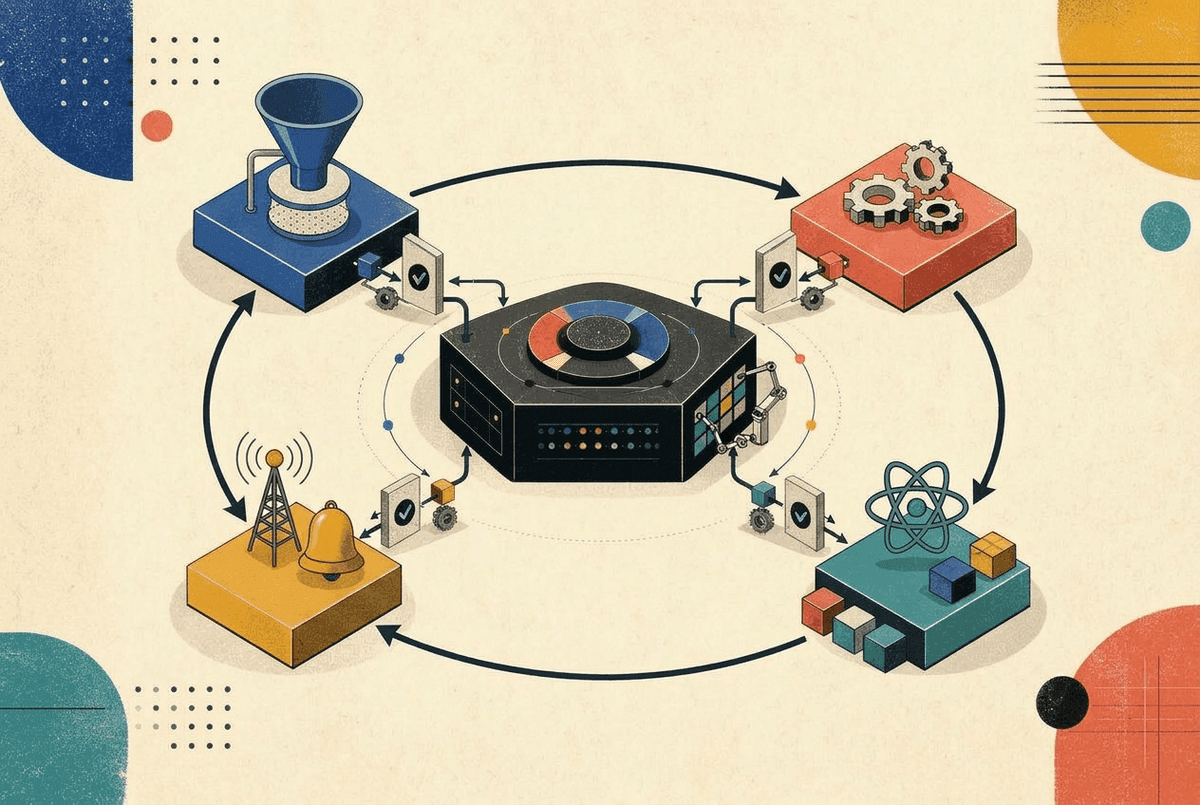
SOLID principles are the bedrock of good object-oriented design. But here's a secret: they apply beautifully to React's component-based architecture too. In this guide, we'll explore each principle through practical React examples, showing you how to write components that are easier to maintain, extend, and test.
What is SOLID?
SOLID is an acronym representing five design principles:
- S - Single Responsibility Principle
- O - Open/Closed Principle
- L - Liskov Substitution Principle
- I - Interface Segregation Principle
- D - Dependency Inversion Principle
Let's dive into each one with real-world React examples.
S - Single Responsibility Principle (SRP)
"A component should have one, and only one, reason to change."
This is perhaps the most violated principle in React codebases. We've all seen those "god components" that handle fetching, state management, business logic, and rendering all in one file.
❌ Violating SRP
function UserDashboard() {
  const [user, setUser] = useState(null);
  const [posts, setPosts] = useState([]);
  const [loading, setLoading] = useState(true);
  const [theme, setTheme] = useState('light');

  useEffect(() => {
    // Fetching logic mixed with component
    fetch('/api/user')
      .then(res => res.json())
      .then(data => {
        setUser(data);
        // Business logic for calculating user score
        const score = data.posts.length * 10 + data.followers * 5;
        data.score = score;
      });

    fetch('/api/posts')
      .then(res => res.json())
      .then(setPosts)
      .finally(() => setLoading(false));
  }, []);

  // Theme toggle logic
  const toggleTheme = () => {
    const newTheme = theme === 'light' ? 'dark' : 'light';
    setTheme(newTheme);
    localStorage.setItem('theme', newTheme);
    document.body.className = newTheme;
  };

  if (loading) return <Spinner />;

  return (
    <div className={`dashboard ${theme}`}>
      <header>
        <h1>{user.name}</h1>
        <button onClick={toggleTheme}>Toggle Theme</button>
      </header>
      <section>
        <h2>Score: {user.score}</h2>
        {posts.map(post => (
          <article key={post.id}>
            <h3>{post.title}</h3>
            <p>{post.excerpt}</p>
          </article>
        ))}
      </section>
    </div>
  );
}
This component has multiple reasons to change: API structure changes, business logic changes, theme feature changes, and UI layout changes.
✅ Applying SRP
Let's split this into focused, single-responsibility pieces:
// hooks/useUser.ts - Data fetching responsibility
function useUser() {
  const [user, setUser] = useState(null);
  const [loading, setLoading] = useState(true);

  useEffect(() => {
    fetch('/api/user')
      .then(res => res.json())
      .then(setUser)
      .finally(() => setLoading(false));
  }, []);

  return { user, loading };
}

// utils/calculateScore.ts - Business logic responsibility
function calculateUserScore(user) {
  return user.posts.length * 10 + user.followers * 5;
}

// hooks/useTheme.ts - Theme management responsibility
function useTheme() {
  const [theme, setTheme] = useState(() =>
    localStorage.getItem('theme') || 'light'
  );

  const toggleTheme = () => {
    const newTheme = theme === 'light' ? 'dark' : 'light';
    setTheme(newTheme);
    localStorage.setItem('theme', newTheme);
  };

  useEffect(() => {
    document.body.className = theme;
  }, [theme]);

  return { theme, toggleTheme };
}

// components/PostList.tsx - Rendering posts responsibility
function PostList({ posts }) {
  return (
    <section>
      {posts.map(post => (
        <article key={post.id}>
          <h3>{post.title}</h3>
          <p>{post.excerpt}</p>
        </article>
      ))}
    </section>
  );
}

// components/UserDashboard.tsx - Composition responsibility
function UserDashboard() {
  const { user, loading } = useUser();
  const { posts } = usePosts();
  const { theme, toggleTheme } = useTheme();

  if (loading) return <Spinner />;

  return (
    <div className={`dashboard ${theme}`}>
      <DashboardHeader
        user={user}
        score={calculateUserScore(user)}
        onThemeToggle={toggleTheme}
      />
      <PostList posts={posts} />
    </div>
  );
}
Now each piece has exactly one reason to change, making testing and maintenance much simpler.
O - Open/Closed Principle (OCP)
"Components should be open for extension, but closed for modification."
In React, this means designing components that can be customized without changing their source code. The key tools here are composition and render props/children.
❌ Violating OCP
function Button({ variant, size, icon, loading, disabled, children }) {
  let className = 'btn';

  // Every new variant requires modifying this component
  if (variant === 'primary') className += ' btn-primary';
  else if (variant === 'secondary') className += ' btn-secondary';
  else if (variant === 'danger') className += ' btn-danger';
  else if (variant === 'ghost') className += ' btn-ghost';
  // Adding 'success' variant? Must modify this file!

  if (size === 'sm') className += ' btn-sm';
  else if (size === 'lg') className += ' btn-lg';

  return (
    <button className={className} disabled={disabled || loading}>
      {loading && <Spinner />}
      {icon && <span className="btn-icon">{icon}</span>}
      {children}
    </button>
  );
}
Adding a new variant or feature requires modifying the Button component itself.
✅ Applying OCP with Composition
// Base Button - Closed for modification
function Button({ className = '', children, ...props }) {
  return (
    <button
      className={`btn ${className}`}
      {...props}
    >
      {children}
    </button>
  );
}

// Extended buttons - Open for extension
function PrimaryButton({ children, ...props }) {
  return (
    <Button className="btn-primary" {...props}>
      {children}
    </Button>
  );
}

function DangerButton({ children, ...props }) {
  return (
    <Button className="btn-danger" {...props}>
      {children}
    </Button>
  );
}

// Adding a new variant? Just create a new component!
function SuccessButton({ children, ...props }) {
  return (
    <Button className="btn-success" {...props}>
      {children}
    </Button>
  );
}

// Composing with loading behavior
function LoadingButton({ loading, children, ...props }) {
  return (
    <Button disabled={loading} {...props}>
      {loading ? <Spinner /> : children}
    </Button>
  );
}
✅ Applying OCP with Render Props
function DataList({
  data,
  renderItem,           // Extension point for item rendering
  renderEmpty,          // Extension point for empty state
  renderLoading         // Extension point for loading state
}) {
  const { items, loading } = data;

  if (loading) {
    return renderLoading ? renderLoading() : <DefaultLoader />;
  }

  if (items.length === 0) {
    return renderEmpty ? renderEmpty() : <DefaultEmpty />;
  }

  return (
    <ul>
      {items.map((item, index) => (
        <li key={item.id || index}>
          {renderItem(item)}
        </li>
      ))}
    </ul>
  );
}

// Usage - Extended without modification
<DataList
  data={users}
  renderItem={(user) => <UserCard user={user} />}
  renderEmpty={() => <EmptyState message="No users found" />}
  renderLoading={() => <SkeletonList count={5} />}
/>
L - Liskov Substitution Principle (LSP)
"Subtypes must be substitutable for their base types."
In React terms: if you have a component that accepts another component as a prop (or children), any component you pass should work correctly without breaking the parent.
❌ Violating LSP
// Parent expects a component with specific behavior
function Form({ SubmitButton }) {
  const handleSubmit = (e) => {
    e.preventDefault();
    // Form submission logic
  };

  return (
    <form onSubmit={handleSubmit}>
      <input type="text" name="email" />
      <SubmitButton type="submit" />
    </form>
  );
}

// This button works fine
function RegularButton({ type, children }) {
  return <button type={type}>{children || 'Submit'}</button>;
}

// This "button" breaks the contract - it's actually a link!
function LinkButton({ href, children }) {
  // Ignores 'type' prop, doesn't work as form submit
  return <a href={href}>{children}</a>;
}

// Usage - LinkButton breaks the form!
<Form SubmitButton={LinkButton} /> // ❌ Form won't submit
✅ Applying LSP
Define a clear contract (interface) and ensure all substitutes honor it:
// Define the expected contract via TypeScript
interface ButtonProps {
  type?: 'button' | 'submit' | 'reset';
  disabled?: boolean;
  onClick?: () => void;
  children?: React.ReactNode;
}

// Base implementation
function Button({ type = 'button', disabled, onClick, children }: ButtonProps) {
  return (
    <button type={type} disabled={disabled} onClick={onClick}>
      {children}
    </button>
  );
}

// Variant that honors the contract
function PrimaryButton(props: ButtonProps) {
  return <Button {...props} className="btn-primary" />;
}

// Another variant that also honors the contract
function IconButton({ icon, ...props }: ButtonProps & { icon: ReactNode }) {
  return (
    <Button {...props}>
      {icon}
      {props.children}
    </Button>
  );
}

// All buttons are substitutable
function Form({ SubmitButton = Button }) {
  return (
    <form>
      <input type="email" />
      <SubmitButton type="submit">Send</SubmitButton>
    </form>
  );
}

// All of these work correctly
<Form SubmitButton={Button} />        // ✅ Works
<Form SubmitButton={PrimaryButton} /> // ✅ Works
<Form SubmitButton={IconButton} /> // ✅ WorksI - Interface Segregation Principle (ISP)
"Clients should not be forced to depend on interfaces they don't use."
In React, this means components should not receive props they don't need. Large, catch-all prop objects lead to unnecessary re-renders and confusing APIs.
❌ Violating ISP
// A massive prop interface that everything depends on
interface UserProps {
  id: string;
  name: string;
  email: string;
  avatar: string;
  bio: string;
  followers: number;
  following: number;
  posts: Post[];
  settings: UserSettings;
  permissions: string[];
  lastLogin: Date;
  createdAt: Date;
}

// This component only needs name and avatar, but gets everything
function UserAvatar({ user }: { user: UserProps }) {
  return (
    <div className="avatar">
      <img src={user.avatar} alt={user.name} />
      <span>{user.name}</span>
    </div>
  );
}

// Now UserAvatar re-renders when ANY user property changes,
// even ones it doesn't use!
✅ Applying ISP
Split interfaces and pass only what's needed:
// Focused interfaces
interface AvatarUser {
  name: string;
  avatar: string;
}

interface ProfileUser extends AvatarUser {
  bio: string;
  followers: number;
  following: number;
}

interface AdminUser extends ProfileUser {
  permissions: string[];
  settings: UserSettings;
}

// Components receive only what they need
function UserAvatar({ name, avatar }: AvatarUser) {
  return (
    <div className="avatar">
      <img src={avatar} alt={name} />
      <span>{name}</span>
    </div>
  );
}

function UserProfile({ name, avatar, bio, followers, following }: ProfileUser) {
  return (
    <div className="profile">
      <UserAvatar name={name} avatar={avatar} />
      <p>{bio}</p>
      <Stats followers={followers} following={following} />
    </div>
  );
}

// Usage - pass only needed props
function UserCard({ user }: { user: FullUser }) {
  return (
    <UserAvatar name={user.name} avatar={user.avatar} />
    // UserAvatar won't re-render when user.bio changes!
  );
}
✅ ISP with Component Composition
// Instead of one component with many optional features...
function Card({
  title,
  subtitle,
  image,
  actions,
  footer,
  expandable,
  selectable,
  draggable,
  // ... 20 more props
}) { /* Complex implementation */ }

// Create focused, composable components
function Card({ children }) {
  return <div className="card">{children}</div>;
}

function CardHeader({ title, subtitle }) {
  return (
    <header className="card-header">
      <h3>{title}</h3>
      {subtitle && <p>{subtitle}</p>}
    </header>
  );
}

function CardImage({ src, alt }) {
  return <img className="card-image" src={src} alt={alt} />;
}

function CardActions({ children }) {
  return <div className="card-actions">{children}</div>;
}

// Usage - compose only what you need
<Card>
  <CardHeader title="My Card" />
  <CardImage src="/photo.jpg" alt="Photo" />
</Card>

// Another usage with different needs
<Card>
  <CardHeader title="Simple Card" subtitle="No image needed" />
  <CardActions>
    <Button>Action</Button>
  </CardActions>
</Card>
D - Dependency Inversion Principle (DIP)
"High-level modules should not depend on low-level modules. Both should depend on abstractions."
In React, this often means using dependency injection through Context, props, or hooks rather than importing concrete implementations directly.
❌ Violating DIP
// Component directly imports concrete implementations
import { logToConsole } from './ConsoleLogger';
import { sendToSentry } from './SentryReporter';
import { fetchFromAPI } from './APIClient';

function UserProfile({ userId }) {
  const [user, setUser] = useState(null);

  useEffect(() => {
    // Tightly coupled to specific implementations
    logToConsole('Fetching user...');

    fetchFromAPI(`/users/${userId}`)
      .then(setUser)
      .catch(error => {
        logToConsole('Error:', error);
        sendToSentry(error);
      });
  }, [userId]);

  return <div>{user?.name}</div>;
}

// Testing is hard - you can't swap these dependencies!
// Changing logger or API client requires modifying the component.
✅ Applying DIP with Context
// Define abstractions (interfaces)
interface Logger {
  log: (message: string, data?: unknown) => void;
  error: (message: string, error: Error) => void;
}

interface APIClient {
  get: <T>(url: string) => Promise<T>;
  post: <T>(url: string, data: unknown) => Promise<T>;
}

// Create Context for dependency injection
const LoggerContext = createContext<Logger | null>(null);
const APIClientContext = createContext<APIClient | null>(null);

// Custom hooks for consuming dependencies
function useLogger() {
  const logger = useContext(LoggerContext);
  if (!logger) throw new Error('Logger not provided');
  return logger;
}

function useAPIClient() {
  const client = useContext(APIClientContext);
  if (!client) throw new Error('APIClient not provided');
  return client;
}

// Component depends on abstractions, not concretions
function UserProfile({ userId }) {
  const logger = useLogger();
  const api = useAPIClient();
  const [user, setUser] = useState(null);

  useEffect(() => {
    logger.log('Fetching user...');

    api.get(`/users/${userId}`)
      .then(setUser)
      .catch(error => {
        logger.error('Failed to fetch user', error);
      });
  }, [userId, logger, api]);

  return <div>{user?.name}</div>;
}
// Production setup
const productionLogger: Logger = {
log: (msg, data) => sendToAnalytics(msg, data),
error: (msg, err) => sendToSentry(msg, err),
};
const productionAPI: APIClient = {
get: (url) => fetch(url).then(r => r.json()),
post: (url, data) => fetch(url, { method: 'POST', body: JSON.stringify(data) }).then(r => r.json()),
};
function App() {
return (
<LoggerContext.Provider value={productionLogger}>
<APIClientContext.Provider value={productionAPI}>
<UserProfile userId="123" />
</APIClientContext.Provider>
</LoggerContext.Provider>
);
}// Test setup - swap implementations easily!
const mockLogger: Logger = {
log: vi.fn(),
error: vi.fn(),
};
const mockAPI: APIClient = {
get: vi.fn().mockResolvedValue({ name: 'Test User' }),
post: vi.fn(),
};
test('UserProfile renders user name', async () => {
render(
<LoggerContext.Provider value={mockLogger}>
<APIClientContext.Provider value={mockAPI}>
<UserProfile userId="123" />
</APIClientContext.Provider>
</LoggerContext.Provider>
);
expect(await screen.findByText('Test User')).toBeInTheDocument();
expect(mockLogger.log).toHaveBeenCalledWith('Fetching user...');
});✅ DIP with Props (Simpler Cases)
For simpler scenarios, prop injection works well:
// Component accepts dependencies as props
function UserActions({
  userId,
  onFollow = defaultFollowHandler,
  onMessage = defaultMessageHandler,
  analytics = defaultAnalytics
}) {
  const handleFollow = () => {
    analytics.track('follow_clicked', { userId });
    onFollow(userId);
  };

  return (
    <div>
      <Button onClick={handleFollow}>Follow</Button>
      <Button onClick={() => onMessage(userId)}>Message</Button>
    </div>
  );
}

// Easy to test with different dependencies
<UserActions
  userId="123"
  onFollow={mockFollowFn}
  analytics={mockAnalytics}
/>
Putting It All Together
Here's a real-world example combining all SOLID principles:
// types.ts - Interfaces (ISP, LSP)
interface Notification {
  id: string;
  message: string;
  type: 'info' | 'success' | 'error';
}

interface NotificationService {
  getNotifications: () => Promise<Notification[]>;
  dismiss: (id: string) => Promise<void>;
}

// context/NotificationContext.tsx - DIP
const NotificationServiceContext = createContext<NotificationService | null>(null);

// hooks/useNotifications.ts - SRP (fetching logic only)
function useNotifications() {
  const service = useContext(NotificationServiceContext);
  const [notifications, setNotifications] = useState<Notification[]>([]);

  useEffect(() => {
    service?.getNotifications().then(setNotifications);
  }, [service]);

  const dismiss = async (id: string) => {
    await service?.dismiss(id);
    setNotifications(prev => prev.filter(n => n.id !== id));
  };

  return { notifications, dismiss };
}

// components/NotificationItem.tsx - SRP, ISP
interface NotificationItemProps {
  message: string;
  type: 'info' | 'success' | 'error';
  onDismiss: () => void;
}

function NotificationItem({ message, type, onDismiss }: NotificationItemProps) {
  return (
    <div className={`notification notification-${type}`}>
      <p>{message}</p>
      <button onClick={onDismiss}>×</button>
    </div>
  );
}

// components/NotificationList.tsx - OCP (render prop for customization)
interface NotificationListProps {
  renderItem?: (notification: Notification, onDismiss: () => void) => ReactNode;
}

function NotificationList({ renderItem }: NotificationListProps) {
  const { notifications, dismiss } = useNotifications();

  return (
    <div className="notification-list">
      {notifications.map(notification => (
        renderItem
          ? renderItem(notification, () => dismiss(notification.id))
          : <NotificationItem
              key={notification.id}
              message={notification.message}
              type={notification.type}
              onDismiss={() => dismiss(notification.id)}
            />
      ))}
    </div>
  );
}
Summary
| Principle | React Application |
|---|---|
| SRP | Split components into focused units; extract hooks for data/logic |
| OCP | Use composition, render props, and children for extensibility |
| LSP | Define clear prop interfaces; variants should honor parent contracts |
| ISP | Pass only needed props; create focused, composable components |
| DIP | Use Context/props for dependency injection; depend on abstractions |
Conclusion
SOLID principles aren't just for backend code or class-based languages. When applied thoughtfully to React, they lead to:
- Easier testing - Components with injected dependencies are trivial to mock
- Better reusability - Focused components compose beautifully
- Simpler maintenance - Changes are localized, not scattered
- Clearer APIs - Prop interfaces communicate intent
Start by identifying the principle you violate most often (usually SRP), and gradually refactor your codebase. Your future self will thank you!
Have questions about applying these patterns in your codebase? Drop a comment below!
Vikram Dokkupalle
Frontend Engineer & UI/UX Enthusiast. Passionate about React, performance, and clean design.