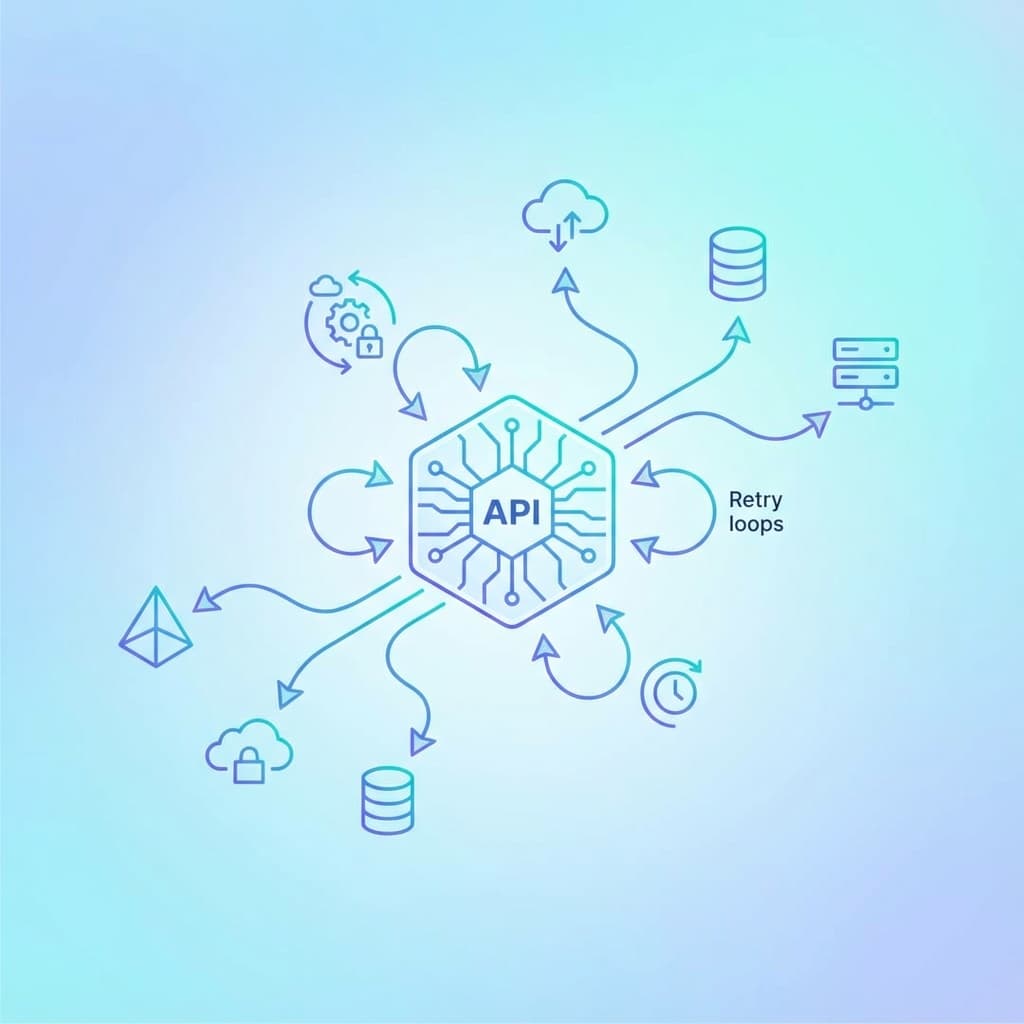
As frontend applications grow, data fetching becomes increasingly complex. What starts as a few fetch() calls quickly becomes a tangled web of loading states, error handling, caching, and race conditions.
A well-designed API layer brings order to this chaos. It's the abstraction between your UI components and your backend APIs — handling the messy details so your components can focus on rendering.
In this post, we'll cover:
- Why you need an API layer
- The anatomy of a good API layer
- Caching strategies
- Request deduplication
- Error handling and retry patterns
- Optimistic updates
- Request cancellation
- Putting it all together
1. Why You Need an API Layer
Without structure, data fetching scatters across your codebase:
// ❌ Fetching logic mixed into components
function UserProfile({ userId }) {
  const [user, setUser] = useState(null);
  const [loading, setLoading] = useState(true);
  const [error, setError] = useState(null);

  useEffect(() => {
    setLoading(true);
    fetch(`/api/users/${userId}`)
      .then(res => {
        if (!res.ok) throw new Error('Failed');
        return res.json();
      })
      .then(data => setUser(data))
      .catch(err => setError(err))
      .finally(() => setLoading(false));
  }, [userId]);

  if (loading) return <div>Loading...</div>;
  if (error) return <div>Error: {error.message}</div>;
  return <div>{user.name}</div>;
}
Problems:
- Duplicated loading/error state logic everywhere
- No caching (fetches every time component mounts)
- No request deduplication (multiple components = multiple requests)
- No retry on failure
- Race conditions if
userIdchanges quickly - Can't easily add auth headers, logging, or error tracking
An API layer centralizes these concerns:
// ✅ Component focuses on rendering
function UserProfile({ userId }) {
  const { data: user, isLoading, error } = useUser(userId);

  if (isLoading) return <div>Loading...</div>;
  if (error) return <div>Error: {error.message}</div>;
  return <div>{user.name}</div>;
}
2. Anatomy of an API Layer
A mature API layer typically has these components:
Layer 1: API Client
A configured HTTP client that handles base URL, headers, and interceptors:
// lib/api-client.ts
const API_BASE = process.env.NEXT_PUBLIC_API_URL;

class ApiClient {
  private baseUrl: string;

  constructor(baseUrl: string) {
    this.baseUrl = baseUrl;
  }

  private async request<T>(
    endpoint: string,
    options: RequestInit = {}
  ): Promise<T> {
    const url = `${this.baseUrl}${endpoint}`;

    const config: RequestInit = {
      ...options,
      headers: {
        'Content-Type': 'application/json',
        ...this.getAuthHeaders(),
        ...options.headers,
      },
    };

    const response = await fetch(url, config);

    if (!response.ok) {
      throw new ApiError(response.status, await response.text());
    }

    return response.json();
  }

  private getAuthHeaders(): Record<string, string> {
    const token = localStorage.getItem('auth_token');
    return token ? { Authorization: `Bearer ${token}` } : {};
  }

  get<T>(endpoint: string) {
    return this.request<T>(endpoint, { method: 'GET' });
  }

  post<T>(endpoint: string, data: unknown) {
    return this.request<T>(endpoint, {
      method: 'POST',
      body: JSON.stringify(data),
    });
  }

  put<T>(endpoint: string, data: unknown) {
    return this.request<T>(endpoint, {
      method: 'PUT',
      body: JSON.stringify(data),
    });
  }

  delete<T>(endpoint: string) {
    return this.request<T>(endpoint, { method: 'DELETE' });
  }
}

export const apiClient = new ApiClient(API_BASE);
Layer 2: Domain-Specific Functions
Functions that know about your API endpoints:
// lib/api/users.ts
import { apiClient } from '../api-client';

export interface User {
  id: string;
  name: string;
  email: string;
}

export const usersApi = {
  getAll: () => apiClient.get<User[]>('/users'),

  getById: (id: string) => apiClient.get<User>(`/users/${id}`),

  create: (data: Omit<User, 'id'>) => apiClient.post<User>('/users', data),

  update: (id: string, data: Partial<User>) =>
    apiClient.put<User>(`/users/${id}`, data),

  delete: (id: string) => apiClient.delete<void>(`/users/${id}`),
};
Layer 3: React Hooks
Hooks that integrate with your data fetching library:
// hooks/useUser.ts
import { useQuery, useMutation, useQueryClient } from '@tanstack/react-query';
import { usersApi, User } from '@/lib/api/users';

export function useUser(userId: string) {
  return useQuery({
    queryKey: ['user', userId],
    queryFn: () => usersApi.getById(userId),
    staleTime: 5 * 60 * 1000, // 5 minutes
  });
}

export function useUsers() {
  return useQuery({
    queryKey: ['users'],
    queryFn: () => usersApi.getAll(),
  });
}

export function useUpdateUser() {
  const queryClient = useQueryClient();

  return useMutation({
    mutationFn: ({ id, data }: { id: string; data: Partial<User> }) =>
      usersApi.update(id, data),
    onSuccess: (updatedUser) => {
      // Update cache
      queryClient.setQueryData(['user', updatedUser.id], updatedUser);
      queryClient.invalidateQueries({ queryKey: ['users'] });
    },
  });
}
3. Caching Strategies
Caching is the heart of a good API layer. Without it, every component mount triggers a network request.
Stale-While-Revalidate (SWR)
The most common pattern: return cached data immediately, then fetch fresh data in the background.
const { data } = useQuery({
  queryKey: ['users'],
  queryFn: fetchUsers,
  staleTime: 60 * 1000,      // Data is "fresh" for 1 minute
  gcTime: 5 * 60 * 1000,     // Keep in cache for 5 minutes
});
Timeline:
- First request: fetch from network, cache result
- Second request (within 1 min): return cache, no network request
- Third request (after 1 min): return cache immediately, refetch in background
- After 5 min of no use: garbage collect from cache
Cache Invalidation
When data changes, invalidate related queries:
const mutation = useMutation({
  mutationFn: createUser,
  onSuccess: () => {
    // Invalidate and refetch
    queryClient.invalidateQueries({ queryKey: ['users'] });
  },
});
Optimistic Cache Updates
Update the cache immediately, before the server responds:
const mutation = useMutation({
  mutationFn: updateUser,
  onMutate: async (newUser) => {
    // Cancel in-flight queries
    await queryClient.cancelQueries({ queryKey: ['user', newUser.id] });

    // Snapshot current value
    const previousUser = queryClient.getQueryData(['user', newUser.id]);

    // Optimistically update
    queryClient.setQueryData(['user', newUser.id], newUser);

    // Return snapshot for rollback
    return { previousUser };
  },
  onError: (err, newUser, context) => {
    // Rollback on error
    queryClient.setQueryData(['user', newUser.id], context.previousUser);
  },
  onSettled: () => {
    // Refetch to ensure consistency
    queryClient.invalidateQueries({ queryKey: ['users'] });
  },
});
Cache Key Design
Good cache keys enable granular invalidation:
// ✅ Good: hierarchical, specific
['users']                           // All users
['users', { status: 'active' }]     // Filtered users
['user', userId]                    // Single user
['user', userId, 'posts']           // User's posts

// ❌ Bad: too generic
['data']
['api-response']
4. Request Deduplication
What if two components mount simultaneously and both need the same data?
The Problem
function Header() {
  const { data: user } = useUser('123'); // Request 1
  return <div>{user?.name}</div>;
}

function Sidebar() {
  const { data: user } = useUser('123'); // Request 2 (duplicate!)
  return <div>{user?.email}</div>;
}
Without deduplication, you get two identical network requests.
The Solution
TanStack Query and SWR automatically deduplicate:
// Both components share the same request
// Only ONE network call is made
const { data: user } = useQuery({
  queryKey: ['user', '123'],  // Same key = shared request
  queryFn: () => fetchUser('123'),
});
Manual Deduplication
If you're not using a library, implement it yourself:
const pendingRequests = new Map<string, Promise<any>>();

async function fetchWithDedup<T>(key: string, fetcher: () => Promise<T>): Promise<T> {
  // If request is already in flight, return the same promise
  if (pendingRequests.has(key)) {
    return pendingRequests.get(key) as Promise<T>;
  }

  // Start new request
  const promise = fetcher().finally(() => {
    pendingRequests.delete(key);
  });

  pendingRequests.set(key, promise);
  return promise;
}
5. Error Handling and Retry Patterns
Centralized Error Handling
Handle errors in your API client, not in every component:
class ApiClient {
  private async request<T>(endpoint: string, options: RequestInit): Promise<T> {
    try {
      const response = await fetch(`${this.baseUrl}${endpoint}`, options);

      if (!response.ok) {
        const error = await this.parseError(response);

        // Handle specific status codes
        if (response.status === 401) {
          this.handleUnauthorized();
        }

        throw error;
      }

      return response.json();
    } catch (error) {
      // Log to error tracking service
      this.logError(error, endpoint);
      throw error;
    }
  }

  private handleUnauthorized() {
    localStorage.removeItem('auth_token');
    window.location.href = '/login';
  }

  private logError(error: unknown, endpoint: string) {
    // Send to Sentry, LogRocket, etc.
    console.error(`API Error [${endpoint}]:`, error);
  }
}
Retry with Exponential Backoff
Retry transient failures with increasing delays:
async function fetchWithRetry<T>(
  fetcher: () => Promise<T>,
  options = { retries: 3, baseDelay: 1000 }
): Promise<T> {
  let lastError: Error;

  for (let attempt = 0; attempt <= options.retries; attempt++) {
    try {
      return await fetcher();
    } catch (error) {
      lastError = error as Error;

      // Don't retry client errors (4xx)
      if (error instanceof ApiError && error.status >= 400 && error.status < 500) {
        throw error;
      }

      if (attempt < options.retries) {
        // Exponential backoff: 1s, 2s, 4s...
        const delay = options.baseDelay * Math.pow(2, attempt);
        await sleep(delay);
      }
    }
  }

  throw lastError!;
}

const sleep = (ms: number) => new Promise(resolve => setTimeout(resolve, ms));
TanStack Query Retry
Built-in retry configuration:
const { data } = useQuery({
  queryKey: ['users'],
  queryFn: fetchUsers,
  retry: 3,                              // Retry up to 3 times
  retryDelay: (attemptIndex) => Math.min(1000 * 2 ** attemptIndex, 30000),
});
6. Optimistic Updates
Show the expected result immediately, revert if the server fails.
Simple Optimistic Update
function TodoItem({ todo }) {
  const mutation = useMutation({
    mutationFn: toggleTodo,
    onMutate: async (todoId) => {
      await queryClient.cancelQueries({ queryKey: ['todos'] });

      const previousTodos = queryClient.getQueryData(['todos']);

      // Optimistically toggle
      queryClient.setQueryData(['todos'], (old) =>
        old.map(t => t.id === todoId ? { ...t, done: !t.done } : t)
      );

      return { previousTodos };
    },
    onError: (err, todoId, context) => {
      // Rollback
      queryClient.setQueryData(['todos'], context.previousTodos);
      toast.error('Failed to update todo');
    },
  });

  return (
    <label>
      <input
        type="checkbox"
        checked={todo.done}
        onChange={() => mutation.mutate(todo.id)}
      />
      {todo.title}
    </label>
  );
}
When to Use Optimistic Updates
| Use Case | Optimistic? | Why |
|---|---|---|
| Toggle a checkbox | ✅ Yes | Fast feedback, easy rollback |
| Like a post | ✅ Yes | Common pattern, low-risk |
| Submit a payment | ❌ No | Critical action, wait for confirmation |
| Delete important data | ⚠️ Maybe | Consider confirmation dialog instead |
7. Request Cancellation
Prevent stale responses from overwriting fresh data.
The Problem
User types: "a" → request 1 starts
User types: "ab" → request 2 starts
Request 2 finishes → shows results for "ab"
Request 1 finishes → overwrites with results for "a" ❌
AbortController Solution
function useSearch(query: string) {
  const [results, setResults] = useState([]);

  useEffect(() => {
    const controller = new AbortController();

    fetch(`/api/search?q=${query}`, { signal: controller.signal })
      .then(res => res.json())
      .then(data => setResults(data))
      .catch(err => {
        if (err.name !== 'AbortError') {
          console.error(err);
        }
      });

    // Cancel on cleanup or query change
    return () => controller.abort();
  }, [query]);

  return results;
}
TanStack Query Handles This
Query cancellation is built-in:
const { data } = useQuery({
  queryKey: ['search', query],
  queryFn: ({ signal }) =>
    fetch(`/api/search?q=${query}`, { signal }).then(r => r.json()),
});
When query changes, the previous request is automatically cancelled.
8. Putting It All Together
Here's a complete example of a well-structured API layer:
Directory Structure
lib/
├── api-client.ts          # Base HTTP client
├── api/
│   ├── users.ts           # User endpoints
│   ├── products.ts        # Product endpoints
│   └── orders.ts          # Order endpoints
└── errors.ts              # Custom error classes

hooks/
├── useUser.ts
├── useProducts.ts
└── useOrders.ts
Complete API Client
// lib/api-client.ts
export class ApiError extends Error {
  constructor(
    public status: number,
    public message: string,
    public code?: string
  ) {
    super(message);
    this.name = 'ApiError';
  }
}

class ApiClient {
  private baseUrl: string;
  private defaultHeaders: Record<string, string> = {
    'Content-Type': 'application/json',
  };

  constructor(baseUrl: string) {
    this.baseUrl = baseUrl;
  }

  setAuthToken(token: string | null) {
    if (token) {
      this.defaultHeaders['Authorization'] = `Bearer ${token}`;
    } else {
      delete this.defaultHeaders['Authorization'];
    }
  }

  private async request<T>(
    endpoint: string,
    options: RequestInit & { signal?: AbortSignal } = {}
  ): Promise<T> {
    const url = `${this.baseUrl}${endpoint}`;

    const response = await fetch(url, {
      ...options,
      headers: {
        ...this.defaultHeaders,
        ...options.headers,
      },
    });

    if (!response.ok) {
      const body = await response.json().catch(() => ({}));
      throw new ApiError(
        response.status,
        body.message || response.statusText,
        body.code
      );
    }

    // Handle 204 No Content
    if (response.status === 204) {
      return undefined as T;
    }

    return response.json();
  }

  get<T>(endpoint: string, signal?: AbortSignal) {
    return this.request<T>(endpoint, { method: 'GET', signal });
  }

  post<T>(endpoint: string, data?: unknown, signal?: AbortSignal) {
    return this.request<T>(endpoint, {
      method: 'POST',
      body: data ? JSON.stringify(data) : undefined,
      signal,
    });
  }

  put<T>(endpoint: string, data: unknown, signal?: AbortSignal) {
    return this.request<T>(endpoint, {
      method: 'PUT',
      body: JSON.stringify(data),
      signal,
    });
  }

  patch<T>(endpoint: string, data: unknown, signal?: AbortSignal) {
    return this.request<T>(endpoint, {
      method: 'PATCH',
      body: JSON.stringify(data),
      signal,
    });
  }

  delete<T>(endpoint: string, signal?: AbortSignal) {
    return this.request<T>(endpoint, { method: 'DELETE', signal });
  }
}

export const apiClient = new ApiClient(
  process.env.NEXT_PUBLIC_API_URL || '/api'
);
Query Configuration
// lib/query-client.ts
import { QueryClient } from '@tanstack/react-query';
import { ApiError } from './api-client';

export const queryClient = new QueryClient({
  defaultOptions: {
    queries: {
      staleTime: 60 * 1000,      // 1 minute
      gcTime: 5 * 60 * 1000,     // 5 minutes
      retry: (failureCount, error) => {
        // Don't retry on 4xx errors
        if (error instanceof ApiError && error.status < 500) {
          return false;
        }
        return failureCount < 3;
      },
      refetchOnWindowFocus: true,
    },
    mutations: {
      retry: false,
    },
  },
});
Summary
A well-designed API layer handles:
| Concern | Solution |
|---|---|
| Boilerplate | Centralized API client with typed methods |
| Caching | Stale-while-revalidate with configurable TTL |
| Deduplication | Query keys ensure single request per data |
| Error handling | Centralized interceptors + retry logic |
| Race conditions | AbortController for request cancellation |
| UX | Optimistic updates for instant feedback |
Key architectural principles:
- Separate concerns: API client → Domain functions → React hooks
- Cache aggressively: Most data doesn't change that often
- Fail gracefully: Retry transient errors, handle 401s globally
- Cancel stale requests: Prevent race conditions
- Update optimistically: Make the UI feel instant
Don't build this all yourself — use TanStack Query or SWR. They've solved these problems better than you will. Your job is to configure them well and wrap them in clean, domain-specific hooks.
How do you structure your API layer? Do you use TanStack Query, SWR, or something custom? Share your patterns in the comments!
Vikram Dokkupalle
Frontend Engineer & UI/UX Enthusiast. Passionate about React, performance, and clean design.