Once your company has more than one frontend app, problems show up very quickly:
- The same button component exists in five slightly different versions
- Each app has its own color palette, spacing scale, and typography
- Releasing a new UI component means copy paste or manual npm publishes
- Nobody is sure which version of the design system is safe to use
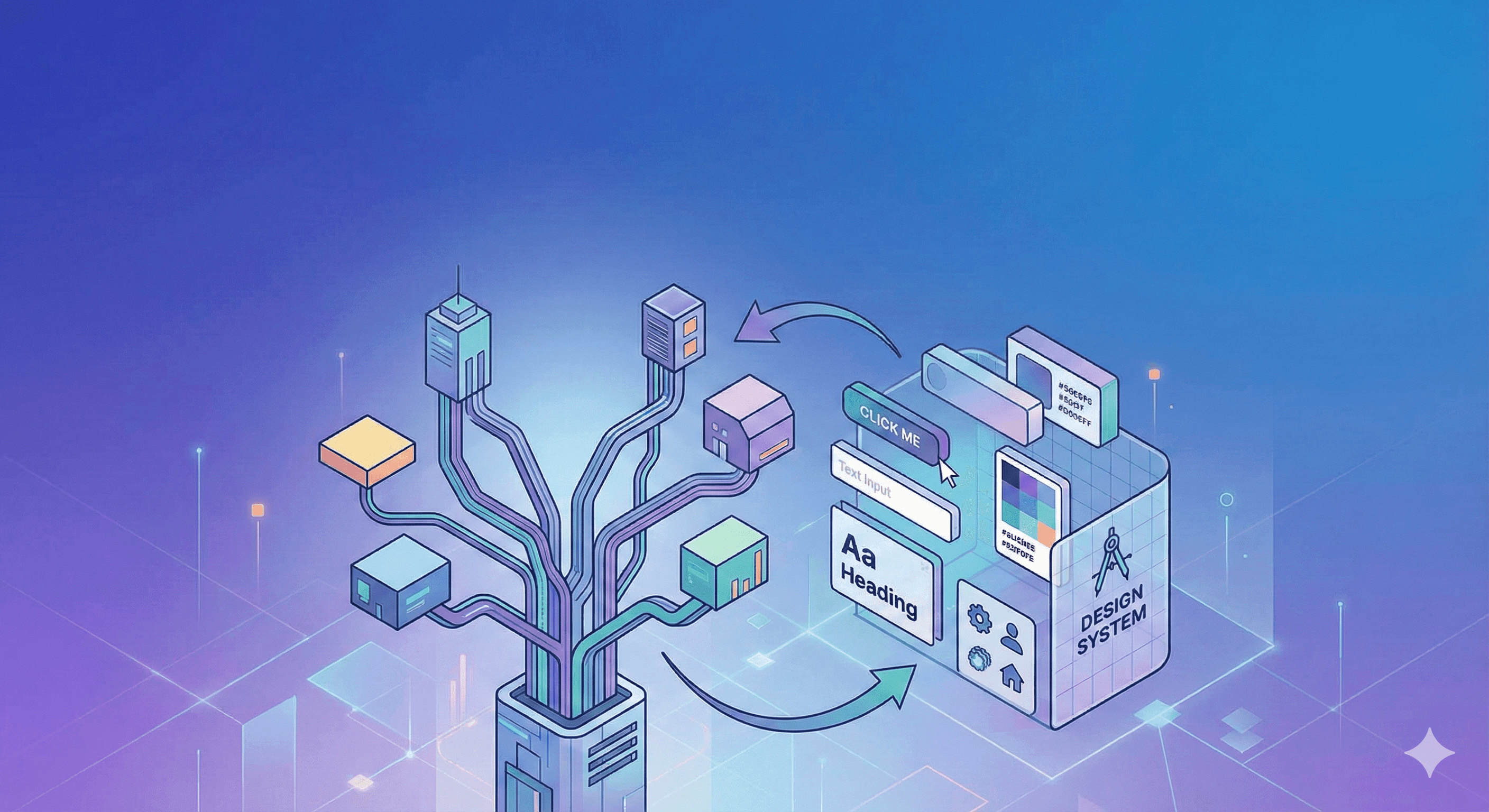
A frontend monorepo plus a proper versioning system and design tokens solves a lot of this pain, if you structure it intentionally.
In this post we will walk through a realistic workflow:
- Understand monorepos and choose monorepo tooling
- Define design guidelines and a robust color system
- Decide and implement a versioning system for shared packages
- Configure artifactories (npm registries)
- Implement the publish flow from the monorepo
By the end, you should have a clear mental model of how everything fits together.
1. Monorepos and Tooling
1.1 What Is a Monorepo?
A monorepo is a single Git repository that contains multiple related projects:
- Applications
apps/web(Next.js marketing site)apps/dashboard(admin SPA)apps/docs(design system docs / Storybook)
- Shared packages
packages/ui(React component library)packages/tokens(design tokens, color system)packages/utils(shared TypeScript utilities)packages/config(ESLint, TS config, Jest config)
Example structure:
.
├─ apps/
│  ├─ web/
│  ├─ dashboard/
│  └─ docs/
├─ packages/
│  ├─ ui/
│  ├─ tokens/
│  ├─ utils/
│  └─ config/
├─ package.json
├─ pnpm-workspace.yaml
└─ turbo.json | nx.json | lerna.json
Instead of having separate repos like web-app, admin-app, ui-library, design-tokens, everything lives in one place. This gives you:
- Easier code sharing (no more npm link hacks)
- Single source of truth for UI and tokens
- Cross cutting refactors in one commit
- Consistent tooling and linting across all apps
1.2 Core Monorepo Tools
Out of the box, npm, Yarn, and pnpm support workspaces, which handle:
- Declaring which folders are part of the monorepo
- Linking local packages together
- Sharing
node_modulesefficiently
On top of that, specialized tools help you manage builds, tests, versioning, and publishing.
Workspace Managers
These provide the basic monorepo plumbing:
-
npm workspaces
- Simple and built into npm
- Good enough for smaller setups
-
Yarn workspaces
- Installed via Yarn
- Often used with classic Lerna setups
-
pnpm workspaces
- Very fast installs and excellent disk usage
- Great choice for larger monorepos
Example pnpm-workspace.yaml:
packages:
  - "apps/*"
  - "packages/*"
Now apps/web can depend on @acme/ui from packages/ui without publishing it first.
Build Orchestration and Task Runners
These tools know how your projects depend on each other and can run tasks intelligently.
-
Turborepo
- Focused on task pipelines and caching
- Great for commands like
build,test,lintacross many packages - Uses
turbo.jsonto define pipelines
-
Nx
- Full platform for monorepos
- Dependency graph, affected commands, generators, plugins
- Good if you want “batteries included” and scaffolding
With Turbo or Nx you can do things like:
- Build only what changed
- Test only affected projects after a PR
- Cache builds per commit and per environment
Lerna: Versioning and Publishing Helper
Lerna sits on top of your workspace (npm/Yarn/pnpm) and focuses on:
- Running commands across packages
- Managing package versions (fixed or independent)
- Generating changelogs
- Publishing to npm registries
In modern setups you often see:
pnpmorYarnworkspaces for linkingTurborepoorNxfor build pipelinesLernaor Changesets for versions and publishing
2. Design Guidelines and Color System
Once you have a monorepo skeleton, you need a single design language that all apps share. This usually lives in two packages:
packages/tokens: raw design tokens (colors, spacing, typography)packages/ui: the actual React components that use those tokens
2.1 Design Tokens
Design tokens are the smallest pieces of your design system that you want to keep consistent:
- Colors
- Spacing
- Border radii
- Typography (font families, sizes, line heights)
- Shadows, z-indexes
A simple token file:
{
  "color": {
    "brand": {
      "primary": "#2563eb",
      "accent": "#22c55e"
    },
    "neutral": {
      "50": "#f9fafb",
      "900": "#111827"
    },
    "status": {
      "success": "#16a34a",
      "warning": "#f59e0b",
      "danger": "#dc2626"
    }
  },
  "space": {
    "xs": "0.25rem",
    "sm": "0.5rem",
    "md": "1rem",
    "lg": "1.5rem",
    "xl": "2rem"
  }
}
These values are then exported as:
- TypeScript constants for React components
- CSS variables for vanilla CSS or Tailwind integration
- JSON consumed by design tools like Figma (optional)
2.2 Palette vs Semantic Colors
A robust color system separates:
-
Palette colors
- Raw paint values
- Example:
blue50,blue500,gray900,green600
-
Semantic colors
- Meaning in your UI
- Example:
bg-surface,bg-elevated,text-primary,border-danger
This helps you change the palette or introduce themes without rewriting the entire app.
Example in packages/tokens:
export const palette = {
  blue50: "#eff6ff",
  blue500: "#3b82f6",
  gray900: "#111827",
  red500: "#ef4444"
};

export const semantic = {
  bgPage: palette.gray900,
  bgCard: palette.blue50,
  textPrimary: "#ffffff",
  textMuted: "rgba(255,255,255,0.7)",
  borderDanger: palette.red500
};
Your @acme/ui components should mostly use semantic tokens. That is how your design system stays flexible.
2.3 Theme Modes (Light and Dark)
You can also provide theme objects:
export const themeLight = {
  bgPage: "#f9fafb",
  bgCard: "#ffffff",
  textPrimary: "#111827",
  textMuted: "#4b5563",
  borderDanger: "#b91c1c"
};

export const themeDark = {
  bgPage: "#020617",
  bgCard: "#020617",
  textPrimary: "#f9fafb",
  textMuted: "#9ca3af",
  borderDanger: "#f97373"
};
Wrap your app with a ThemeProvider in packages/ui that exposes these as CSS variables:
export function ThemeProvider({ theme = "light", children }) {
  const values = theme === "dark" ? themeDark : themeLight;

  return (
    <div
      style={{
        "--bg-page": values.bgPage,
        "--text-primary": values.textPrimary
      } as React.CSSProperties}
    >
      {children}
    </div>
  );
}
Now all apps in the monorepo get consistent, themeable styling by default.
3. Versioning System for Shared Packages
This is the part many teams underestimate. A good versioning system makes your design system safe to consume and easy to upgrade across multiple apps.
3.1 Semantic Versioning (SemVer)
Most JavaScript libraries follow Semantic Versioning, usually abbreviated as SemVer.
A version looks like this:
MAJOR.MINOR.PATCH
1.4.2-
MAJOR
- Breaking changes
- Anything that can break existing consumers
- Example: rename a component prop, remove a component, change default behavior
-
MINOR
- New features, backward compatible
- Example: add a new component or new prop with a default
-
PATCH
- Backward compatible bug fixes
- Example: fix spacing, fix a crash, correct a type definition
This gives consumers clear expectations:
- Bumping from
1.4.2to1.4.3should be safe - Bumping from
1.4.2to1.5.0should be safe but may require adjustments to support new capabilities - Bumping from
1.4.2to2.0.0requires careful review because breaking changes may be present
3.2 Fixed vs Independent Versions in a Monorepo
In a monorepo you usually have multiple packages:
@acme/tokens@acme/ui@acme/utils
You need to decide whether they share the same version number or not.
Fixed (Locked) Versioning
All packages share one version:
@acme/tokens@2.3.0@acme/ui@2.3.0@acme/utils@2.3.0
Pros:
- Very simple mental model
- Easy to see which version of the entire system is in use
Cons:
- Publishing a tiny fix to
@acme/utilsforces a version bump on all packages - Can create noise in changelogs and dependency updates
Independent Versioning
Each package evolves at its own pace:
@acme/tokens@1.4.0@acme/ui@2.3.0@acme/utils@0.9.2
Pros:
- More realistic for design systems and utilities
- No forced releases of unrelated packages
Cons:
- Slightly more complex to track
- Requires good tooling to manage dependency ranges between packages
Tools like Lerna, Changesets, and Nx release support both strategies.
3.3 Version Ranges in package.json
When apps or other packages depend on your internal libraries, they usually use version ranges:
{
  "dependencies": {
    "@acme/ui": "^2.3.0",
    "@acme/tokens": "~1.4.0"
  }
}
Common patterns:
-
^2.3.0(caret)- Accepts any version
>=2.3.0and<3.0.0 - Safe if you trust SemVer and do not want to automatically pick up breaking changes
- Accepts any version
-
~1.4.0(tilde)- Accepts any version
>=1.4.0and<1.5.0 - Stricter; only patch versions will be pulled in automatically
- Accepts any version
You will typically:
- Use
^for internal packages that follow SemVer carefully - Pin exact versions (no range) when you want fully deterministic behavior, especially in apps
Your lockfile (package-lock.json, yarn.lock, or pnpm-lock.yaml) captures the exact resolved versions, so builds are reproducible.
3.4 Pre-release Versions and Tags
Sometimes you want to test a new major version without forcing all apps to upgrade. This is where pre releases and npm tags help.
Examples:
@acme/ui@3.0.0-alpha.1@acme/ui@3.0.0-beta.3
You can publish these versions with a non default tag:
npm publish --tag nextConsumers can then opt in:
npm install @acme/ui@nextThis lets you:
- Test breaking changes in a safe way
- Get early feedback from a few apps
- Promote
nexttolatestonce it is stable
3.5 Automating Versioning
Trying to manually bump versions and keep changelogs updated in a monorepo is painful. Use tooling:
-
Lerna
lerna version- Calculates which packages changed and bumps versions
- Works with both fixed and independent modes
-
Changesets
- Developers create small “changeset” files describing the change and bump type
- CI reads changesets, bumps versions, and publishes
- Works very well with pnpm/Turbo/Nx
The key idea: version numbers and changelogs become a byproduct of your development flow, not a manual chore.
4. Configuring Artifactories (npm Registries)
Now that you know how to version packages, you must decide where to publish them.
4.1 Public vs Private Registries
Public registry:
https://registry.npmjs.org- Used for open source or public SDKs
Private or internal registries:
- GitHub Packages (
https://npm.pkg.github.com) - GitLab Package Registry
- JFrog Artifactory
- Verdaccio (self hosted npm registry)
For internal design systems and shared UI libraries, a private registry under your organization is usually the right call.
4.2 Scopes and .npmrc
To avoid name collisions and keep everything grouped, use an npm scope such as @acme.
In package.json of your UI library:
{
  "name": "@acme/ui",
  "version": "1.0.0"
}
At the repo root, configure .npmrc:
@acme:registry=https://npm.pkg.github.com
//npm.pkg.github.com/:_authToken=${NPM_TOKEN}
always-auth=true
Now, whenever you npm install @acme/ui, the package is resolved from your private registry instead of the public npm registry.
In CI, you provide the NPM_TOKEN through secrets so builds and releases can authenticate.
5. Publishing Packages from the Monorepo
With monorepo tooling, design system, versioning, and registry configured, you can wire up a smooth publish flow.
5.1 Build Each Package
Each package should have its own build script that produces output into a dist/ folder.
Example for @acme/ui using tsup:
// packages/ui/package.json
{
  "name": "@acme/ui",
  "version": "1.0.0",
  "main": "dist/index.cjs.js",
  "module": "dist/index.esm.js",
  "types": "dist/index.d.ts",
  "scripts": {
    "build": "tsup src/index.tsx --dts --format cjs,esm --out-dir dist",
    "lint": "eslint src --ext .ts,.tsx"
  },
  "peerDependencies": {
    "react": "^18.0.0",
    "react-dom": "^18.0.0"
  }
}
At the root you might have:
// package.json
{
  "scripts": {
    "build": "turbo run build"
  }
}
This runs build in all packages, but Turborepo or Nx will only rebuild what changed.
5.2 Manual Publish (For Testing)
When you are still experimenting, you can publish manually.
For a single package:
cd packages/ui
npm login --registry=https://npm.pkg.github.com --scope=@acme
npm publish
Once this works and you are comfortable with the structure, automate it.
5.3 Automated Publish with Lerna or Changesets
A typical workflow using Changesets in a pnpm monorepo:
-
Developer makes a change in
packages/ui -
Developer runs:
pnpm changesetand records what changed and whether it is
major,minor, orpatch. -
On merge to
main, CI runs:pnpm changeset version # bump versions + changelog pnpm changeset publish # build + publish changed packages
With Lerna it might look like:
lerna version    # detect changed packages, bump versions
lerna publish    # publish to registry
In both cases, your versioning system and publish step become standardized, not a manual “run a script from my laptop” ritual.
5.4 CI/CD Example Flow
High level CI pipeline:
- Checkout code
- Set up Node and workspace tool (pnpm/Yarn)
- Install dependencies
- Run tests and build (Turbo/Nx)
- Run version bump (Changesets or Lerna)
- Publish to registry using an
NPM_TOKENsecret
The result:
- Every change goes through the same release process
- All apps in
apps/*can update to new versions of@acme/uiand@acme/tokensusing standard npm commands - You have a history of versions and changelogs that is easy to audit
Summary
Putting it all together, a scalable frontend monorepo and design system looks like this:
-
Monorepo structure
apps/*for product surfacespackages/*for shared libraries and tokens- Managed by pnpm/Yarn workspaces plus Turborepo or Nx
-
Design guidelines and color system
- Centralized design tokens in
@acme/tokens - Palette and semantic colors
- Theming (light/dark) exposed via CSS variables and a
ThemeProvider
- Centralized design tokens in
-
Versioning system
- Semantic Versioning across all packages
- Fixed or independent versioning strategy
- Version ranges using
^and~ - Pre release versions and tags for safe experimentation
- Tooling like Lerna or Changesets to automate bumps and changelogs
-
Artifactories
- Scoped packages like
@acme/uiand@acme/tokens - Private npm registry for internal components
.npmrcconfigured in the repo and in CI
- Scoped packages like
-
Publishing
- Build step per package producing dist artifacts
- Automated pipelines that build, test, version, and publish on merge to main
Once this infrastructure is in place, your team can focus on what actually matters:
- Designing great components
- Shipping consistent UI across products
- Iterating quickly without breaking consuming apps
Your monorepo becomes less of a scary beast and more of a well organized platform for everything your frontend team wants to build.
Vikram Dokkupalle
Frontend Engineer & UI/UX Enthusiast. Passionate about React, performance, and clean design.